

Smartphones have become an essential part of daily life, which is why even a small amount of water exposure can quickly become a serious problem. The water damage risk in smartphones is much higher than many people realize because moisture can silently affect internal components even if the phone appears normal from the outside. Whether your phone falls into water, gets exposed to rain, or comes into contact with moisture accidentally, the damage can affect much more than just the outer appearance of the device. Many people assume their phone is safe if it turns back on after getting wet, but hidden internal damage can continue developing over time. Understanding the real dangers of water damage can help you take quick action before the problem becomes worse.
Water exposure can affect almost every important component inside a smartphone, including the battery, motherboard, charging port, speakers, and camera system. In many situations, the damage does not appear immediately. A phone may work normally for a few days before performance issues begin to appear. This delayed reaction makes the water damage risk even more dangerous because users often continue using the device without realizing corrosion is slowly spreading internally. Knowing the warning signs and understanding why immediate repair matters can help protect your device and your personal data.
How Water Damage Affects Your Phone’s Internal Components
When water enters a smartphone, it can reach sensitive electronic components very quickly. Even a small amount of moisture can interfere with the tiny circuits and connectors that allow the phone to function properly. Internal parts like the motherboard, battery, camera module, and display connectors are especially vulnerable to water damage.
One of the biggest problems is that moisture does not always stay in one area. Water can spread through internal pathways and affect multiple components at once. This is why a phone may experience several issues after exposure, including speaker problems, charging failures, screen flickering, or camera malfunction. In severe cases, the motherboard may stop functioning completely. At Blackapple Cellular, technicians carefully inspect water-damaged devices to identify hidden internal issues before they become more serious and expensive to repair.
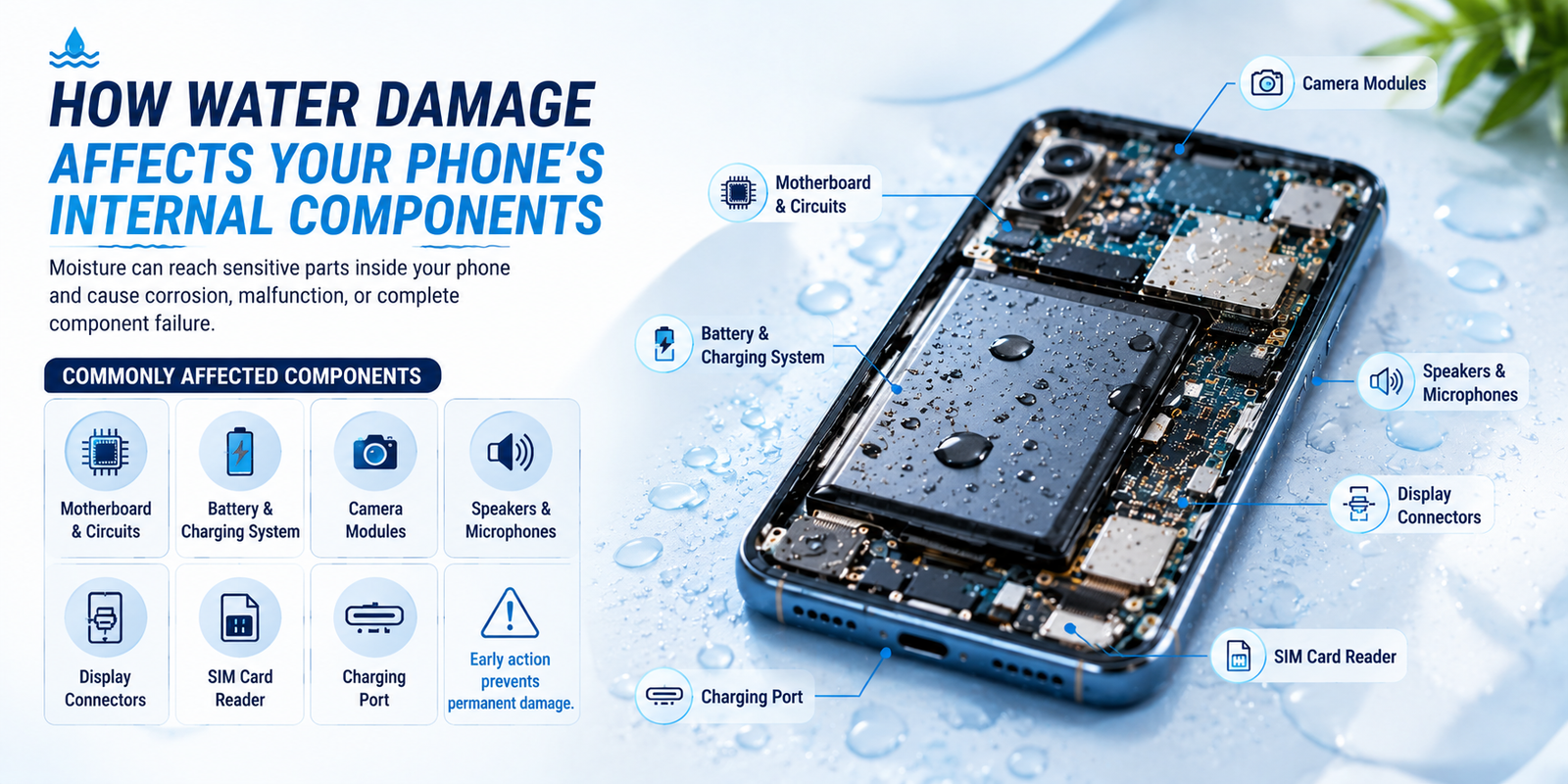
Common Internal Components Affected by Water
- Motherboard and internal circuits
- Battery and charging system
- Camera modules
- Speakers and microphones
- Display connectors
- SIM card reader
- Charging port
Recognizing early water damage signs can help prevent more serious internal failure later.
Risk of Short Circuits and Electrical Failure
One of the most serious dangers of water exposure is the risk of electrical short circuits. Smartphones rely on carefully controlled electrical pathways to operate correctly. When water enters the device while power is still flowing, it can interrupt these circuits and create sudden electrical failure.
This is why turning on or charging a wet phone is extremely risky. Many people make the mistake of testing the phone repeatedly after exposure, which can actually increase the damage. Once a short circuit occurs, internal components may burn out permanently. This significantly increases the overall water damage risk and may make repairs more expensive.
Signs of Electrical Failure
| Problem | Possible Cause |
|---|---|
| Phone not turning on | Short-circuited motherboard |
| Random shutdowns | Power system damage |
| Overheating | Electrical instability |
| Battery draining quickly | Internal battery damage |
| Charging issues | Damaged charging circuits |
Taking quick action after exposure can reduce the chance of permanent electrical damage.
Corrosion Problems Caused by Liquid Damage
Corrosion is one of the most dangerous long-term effects of water damage. Even after the phone dries externally, moisture trapped inside the device can continue damaging metal components slowly over time. Corrosion acts like rust and gradually eats away at important connectors and circuits.
This process may not become visible immediately. Some users notice problems days or even weeks after water exposure. The phone might begin slowing down, apps may crash frequently, or the touchscreen may become less responsive. Salt water and sugary liquids are especially harmful because they accelerate corrosion much faster than clean water.
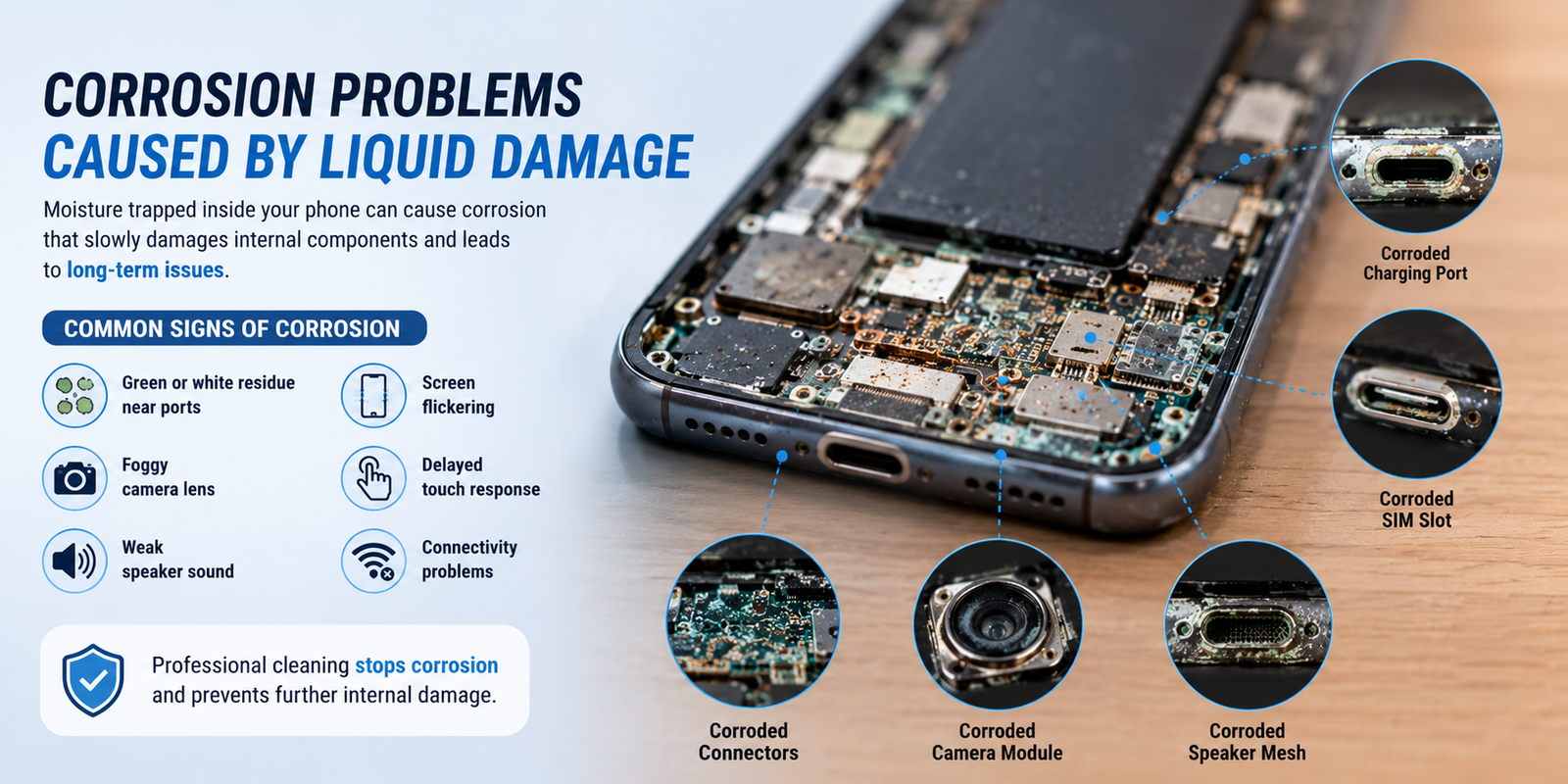
Common Water Damage Signs Caused by Corrosion
- Green or white residue near ports
- Foggy camera lens
- Weak speaker sound
- Screen flickering
- Delayed touch response
- Connectivity problems
Professional cleaning is important because untreated corrosion can continue spreading internally long after the original exposure.
Data Loss and Performance Issues After Water Exposure
Many people focus only on saving the physical phone, but water exposure can also threaten valuable personal data. Photos, videos, messages, contacts, work files, and important documents may become inaccessible if the phone stops functioning completely. This is one of the biggest hidden dangers of severe water damage.
In addition to data loss, water exposure can create long-term performance problems. A damaged phone may start lagging, freezing, restarting randomly, or struggling to hold battery charge. Even if the device appears functional at first, hidden internal damage may continue affecting performance over time.
Common Performance Problems After Water Exposure
- Slow phone performance
- Random app crashes
- Wi-Fi or Bluetooth issues
- Touchscreen delays
- Battery draining rapidly
- Speaker distortion
These problems often indicate deeper internal issues caused by moisture exposure and growing corrosion.
Why Immediate Repair Is Important for Water-Damaged Phones
The faster you act after water exposure, the better the chances of saving your device. Immediate repair is important because it helps stop corrosion before it spreads further inside the phone. Professional technicians can safely open the device, dry internal components, remove moisture residue, and inspect for damaged parts.
Many people wait too long before seeking help because the phone still appears to work. Unfortunately, hidden damage may continue growing silently. Delaying repairs increases the overall water damage risk and can eventually turn a repairable phone into a completely unusable device.
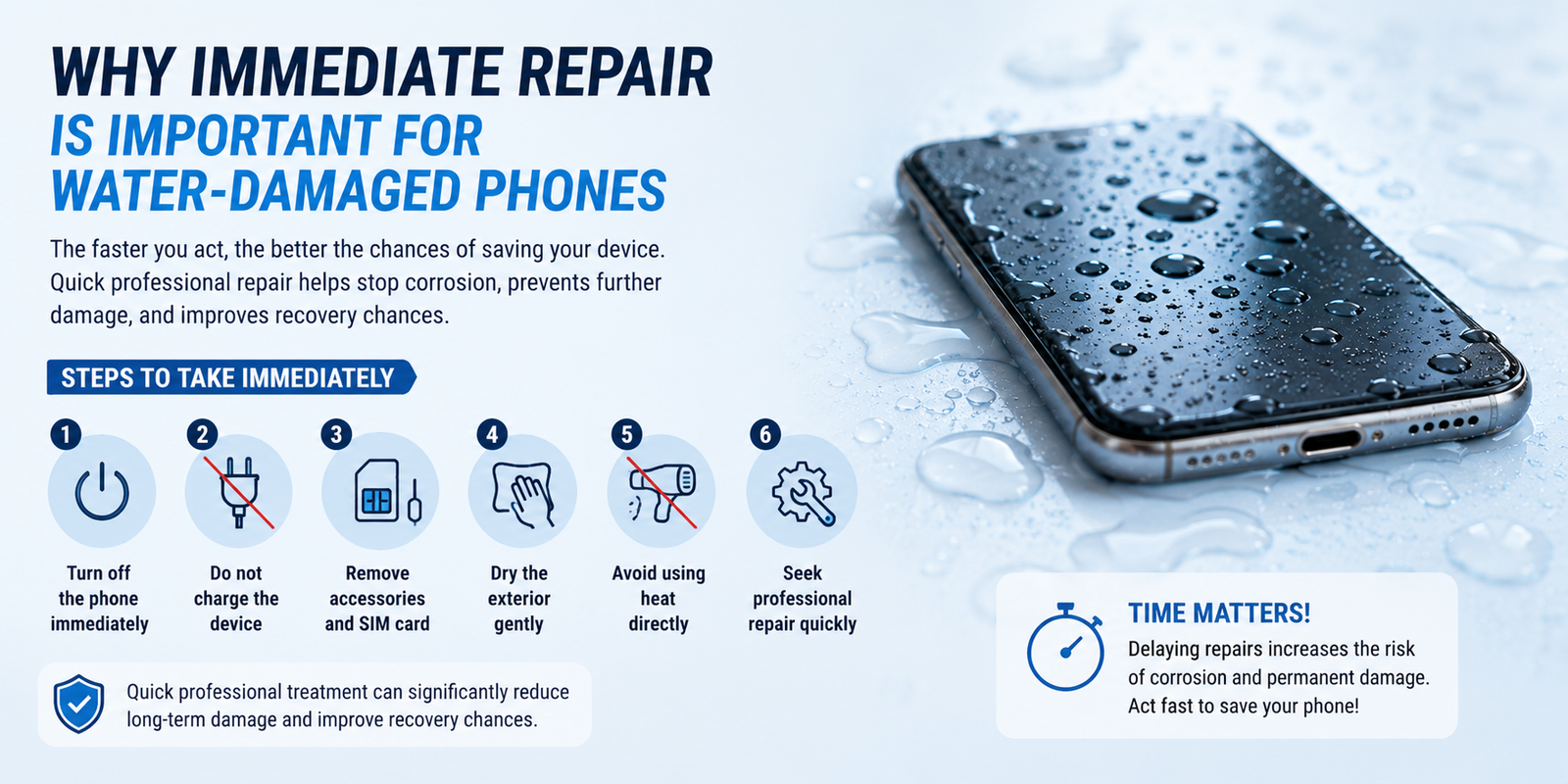
Steps to Take Immediately After Water Exposure
- Turn off the phone immediately
- Do not charge the device
- Remove accessories and SIM card
- Dry the exterior gently
- Avoid using heat directly
- Seek professional repair quickly
Quick professional treatment can significantly reduce long-term damage and improve recovery chances.
Final Thoughts
Water exposure can create serious problems inside a smartphone, even if the device appears normal at first. From short circuits and corrosion to data loss and battery failure, the dangers of water damage should never be ignored. Many internal issues continue developing silently after exposure, which is why understanding the early water damage signs is so important.
Taking immediate action after exposure can greatly reduce the overall water damage risk and improve the chances of successful repair. Professional inspection and cleaning help prevent hidden corrosion from spreading further inside the device. If your phone has been exposed to moisture or liquid, getting it checked quickly is always the safest decision to protect both your device and your important data.
FAQs
1. Can water damage destroy a phone permanently?
Yes, severe water damage can permanently damage internal components like the motherboard, battery, and display if not treated quickly.
2. What are the first water damage signs in a phone?
Common water damage signs include screen flickering, speaker distortion, charging problems, overheating, and fog inside the camera lens.
3. Why is charging a wet phone dangerous?
Charging a wet phone increases the risk of short circuits and electrical failure, which can permanently damage the device.
4. Can water damage affect my phone later even if it works now?
Yes, hidden corrosion can continue developing over time and may cause issues days or weeks later.
5. Does putting a phone in rice really work?
Rice may absorb some external moisture, but it usually cannot remove trapped internal moisture effectively.
6. How can I reduce water damage risk for my phone?
Using waterproof cases, avoiding moisture exposure, and seeking immediate repair after accidents can help reduce overall water damage risk.