

Quick Summary
Your smartphone camera goes through daily wear every time you use it. Dust, scratches, moisture, accidental drops, and even software issues can gradually reduce photo and video quality without you noticing. The good news is that many camera problems can be diagnosed and repaired before they become permanent. Understanding the early warning signs and taking the right steps can help restore your camera’s performance while extending the life of your smartphone. If you’re experiencing blurry photos, focusing issues, or camera failures, seeking Phone camera repair in Victoria early can help prevent further damage and restore your device’s camera to its best performance.
In This Blog, You’ll Learn:
- Why your smartphone camera quality gets worse over time.
- The most common causes of blurry photos and poor video quality.
- How dust, moisture, and scratches affect your camera’s performance.
- Which software issues can reduce photo and video quality.
- When your smartphone camera needs professional repair instead of replacement.
- Simple maintenance tips to keep your camera performing like new.
Introduction
Smartphone cameras have become one of the most important features people rely on every day. Whether you’re capturing family memories, recording videos, attending virtual meetings, scanning important documents, or creating content for social media, your phone’s camera plays a vital role in everyday life. Because of this constant use, it’s easy to notice when photos suddenly become blurry, colours appear dull, or the camera struggles to focus as quickly as it once did.
Many smartphone users assume declining camera quality is simply a sign that their device is getting old. While age can contribute to wear and tear, it’s rarely the only reason your photos stop looking sharp. Dust, scratches, moisture, software conflicts, accidental drops, and internal hardware damage can all affect camera performance over time. In many cases, these problems develop gradually, making it difficult to notice the changes until image quality has significantly declined.
Ignoring camera issues can make matters worse. A small scratch on the camera lens, a tiny amount of dust inside the lens assembly, or minor moisture damage may eventually affect autofocus, image stabilization, or photo clarity. What starts as an occasional blurry picture can slowly develop into permanent hardware damage if left untreated.
The good news is that many camera problems can be diagnosed and repaired without replacing your entire smartphone. Professional inspections help identify the exact cause of poor image quality, allowing technicians to recommend the most effective solution before the damage spreads to other components.
At Blackapple Cellular, we regularly help customers looking for Phone camera repair in Victoria after they notice reduced photo quality, focusing problems, or camera failures. Through detailed diagnostics and professional repairs, we restore camera performance while helping extend the life of the device.
In this guide, you’ll learn why smartphone camera quality naturally changes over time, what warning signs to look for, how environmental factors affect your camera, and when professional repairs become the best solution.
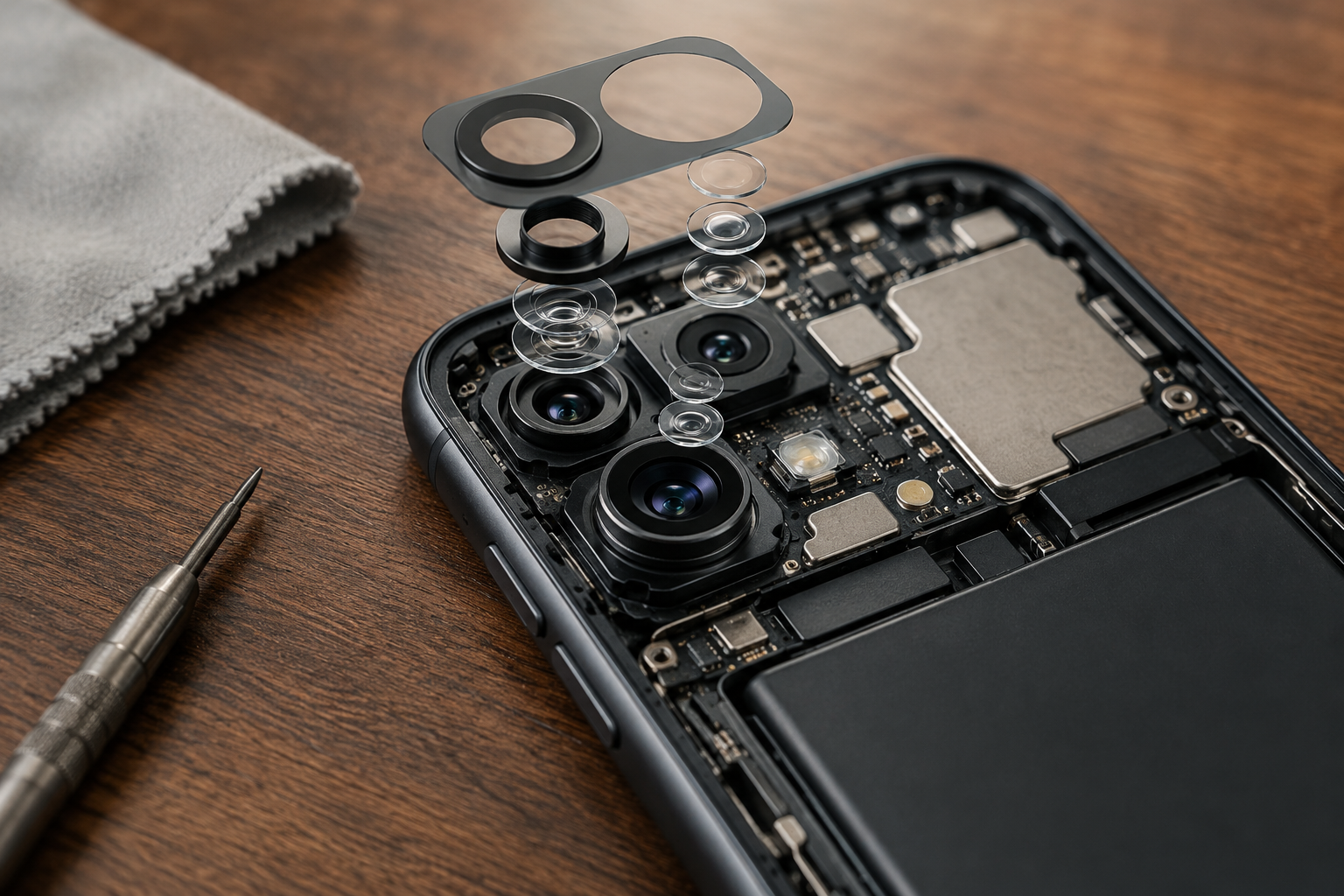
Why Your Phone Camera Doesn’t Look as Sharp as It Used To
Many people are surprised when their smartphone starts taking blurry or low-quality photos, even though they haven’t dropped the phone or damaged the camera. The truth is that camera performance can gradually decline because of everyday wear, environmental exposure, and normal usage.
Unlike professional cameras that are stored safely between uses, smartphones travel everywhere with us. They spend time in pockets, bags, cars, workplaces, restaurants, gyms, beaches, and countless other environments where dust, moisture, fingerprints, and accidental impacts are unavoidable.
Several small issues can combine over time to reduce image quality without causing any obvious damage to the phone itself.
Everyday Wear on the Camera Lens
The outer camera lens is constantly exposed to everyday conditions.
Each time your phone slides across a table, shares a pocket with keys, or rubs against rough surfaces inside a bag, tiny scratches may develop on the protective camera glass.
Although these scratches are often difficult to see with the naked eye, they scatter incoming light before it reaches the camera sensor.
This can result in:
- Reduced sharpness
- Light glare
- Hazy images
- Reduced night photography quality
Many users mistake these symptoms for software issues when the real cause is physical wear on the camera lens.
Natural Wear of Internal Components
Smartphone cameras contain delicate moving parts that work continuously every time you take a photo or record a video.
Features such as:
- Autofocus
- Optical Image Stabilisation (OIS)
- Camera sensors
- Lens movement mechanisms
all experience gradual wear after years of regular use.
Although manufacturers design these systems for long-term reliability, repeated daily use naturally causes small mechanical components to become less precise over time.
Constant Exposure to Dust and Dirt
Even if you keep your phone inside a protective case, tiny dust particles can still reach the camera area.
Dust may accumulate around:
- Camera lens edges
- Camera housing
- Internal camera assembly
- Protective glass
As dust builds up, it may reduce image clarity or create small blurry areas that become more noticeable in bright lighting conditions.
Routine cleaning helps maintain image quality, but internal dust usually requires professional attention.
Fingerprints and Smudges
One of the simplest yet most common causes of blurry photos is a dirty camera lens.
Because we handle our smartphones dozens of times every day, natural skin oils quickly transfer onto the camera glass.
This thin layer of oil diffuses incoming light, making photos appear:
- Soft
- Foggy
- Less detailed
- Lower in contrast
Regularly cleaning the camera lens with a microfiber cloth is one of the easiest ways to improve photo quality instantly.
Software Processing Changes
Modern smartphone photography relies heavily on software.
Every image captured by your phone passes through complex processing algorithms that adjust:
- Brightness
- Colour
- Sharpness
- Noise reduction
- HDR balance
Occasionally, software bugs or incomplete updates may affect image quality even when the camera hardware remains perfectly healthy.
Keeping your operating system updated helps maintain optimal camera performance.
Minor Impact Damage
Many people believe camera damage only occurs after severe drops.
In reality, repeated small impacts can gradually affect delicate camera components without leaving visible marks on the phone.
Even minor shocks may influence:
- Autofocus alignment
- Optical stabilisation
- Lens positioning
- Sensor calibration
Over time, these small changes become increasingly noticeable in everyday photography.
Common Camera Problems That Affect Photo and Video Quality
As smartphone cameras become more advanced, they also become more sensitive to damage and environmental conditions. A single issue inside the camera module can affect everything from photo clarity to video stabilisation.
Recognising common camera problems early allows repairs to be completed before image quality deteriorates further.
Blurry Photos That Never Come Into Focus
If your camera consistently struggles to focus, the problem may not be your photography skills.
Persistent blurry images often indicate:
- Autofocus malfunction
- Camera module damage
- Lens contamination
- Internal alignment issues
When cleaning the lens doesn’t improve results, professional inspection is recommended.
Camera Shaking or Vibrating
Some users notice that the camera shakes or vibrates when opened.
This usually indicates a problem with the optical image stabilisation mechanism.
Without proper stabilization, photos become less sharp and videos appear noticeably shaky.
Black Screen When Opening the Camera
If your camera application opens to a completely black screen, the issue may involve:
- Camera hardware failure
- Loose internal connectors
- Software conflicts
- Logic board communication problems
Diagnostic testing helps identify the exact cause.
Camera App Crashes Frequently
Repeated crashes while opening the camera may indicate software corruption or internal hardware communication issues.
Restarting the phone or updating software may help, but recurring problems usually require further investigation.
Poor Video Quality
Some users notice that videos appear grainy, unstable, or out of focus even though photos still look acceptable.
This often points toward gradual camera hardware deterioration rather than software alone.
Early diagnosis helps prevent further damage while restoring full recording quality.
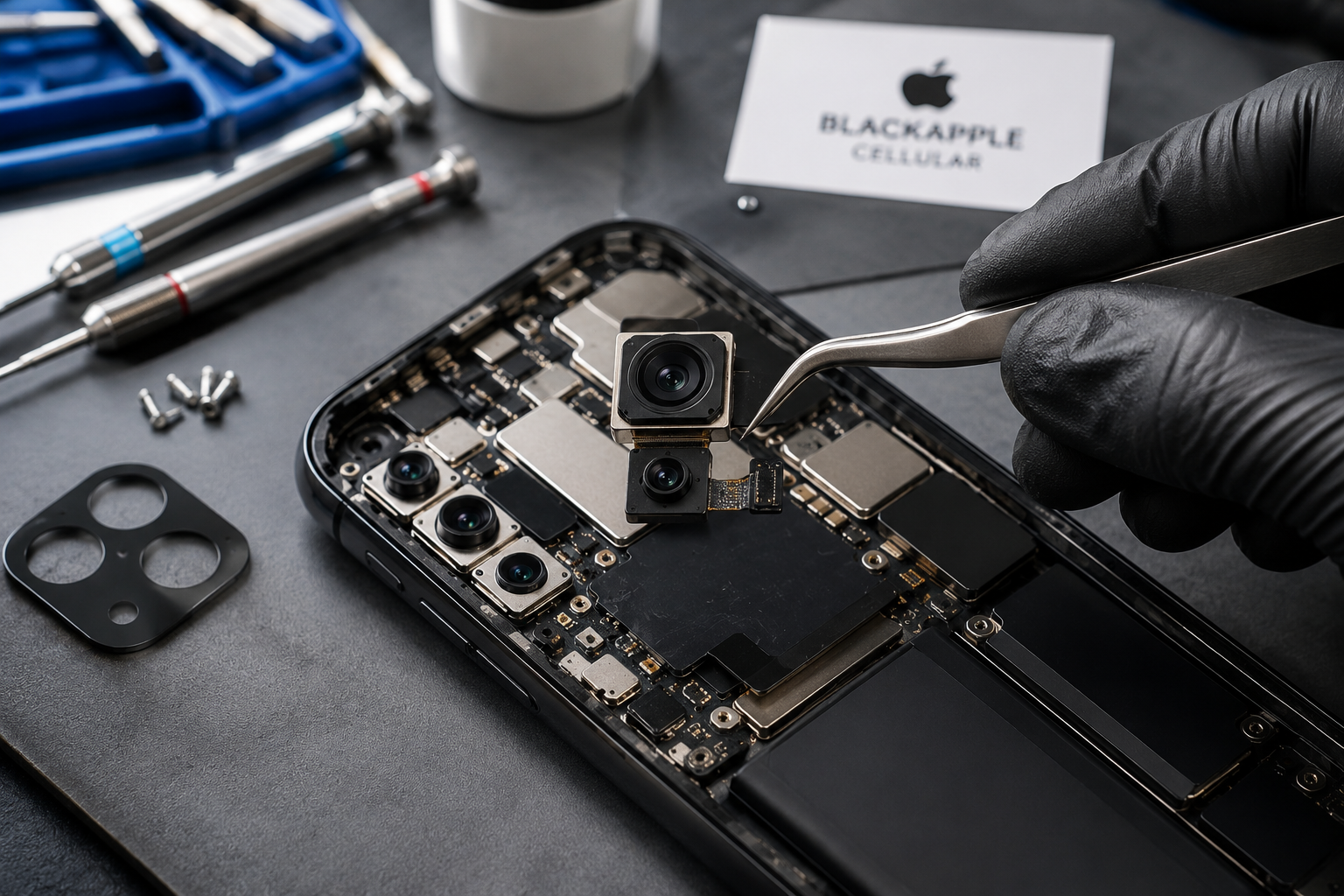
At Blackapple Cellular, our technicians provide trusted Camera repair in Langford and Phone camera repair in Victoria, using advanced diagnostic equipment to accurately identify camera faults before recommending repairs.
Can Dust, Moisture and Scratches Be Repaired?
One of the biggest misconceptions about smartphone cameras is that declining image quality always means the camera module has failed. In reality, many camera issues are caused by external factors such as dust, moisture, fingerprints, or scratches on the protective camera glass. The good news is that some of these problems can be repaired or improved if they are diagnosed early.
Dust Inside the Camera Module
Smartphones are carried almost everywhere, making it easy for tiny dust particles to collect around the camera area. Although most devices are well sealed, daily use and accidental drops can create small gaps that allow fine dust to enter the camera assembly.
Dust inside the camera module may cause:
- Blurry photos
- Dark spots in images
- Reduced image clarity
- Difficulty focusing
External dust on the lens can usually be cleaned with a microfiber cloth, but dust trapped inside the camera requires professional disassembly and cleaning.
Moisture Damage
Even water-resistant smartphones are not completely immune to moisture. Rain, humidity, accidental spills, or condensation can allow small amounts of liquid to enter the camera housing.
Moisture may lead to:
- Foggy camera lenses
- Condensation inside the camera
- Corrosion on camera connectors
- Camera focusing issues
The sooner moisture damage is inspected, the greater the chance of preventing permanent corrosion.
Scratched Camera Glass
The protective glass covering the rear camera is constantly exposed to daily wear.
Tiny scratches caused by keys, coins, rough surfaces, or accidental drops may scatter incoming light before it reaches the camera sensor.
This often results in:
- Reduced sharpness
- Light flares
- Glare
- Poor night photography
In many cases, replacing the damaged camera glass restores image quality without replacing the entire camera module.
Internal Camera Damage
If the phone experiences a significant impact, internal camera components may also become damaged.
Professional diagnostics determine whether:
- Cleaning is sufficient
- Camera glass replacement is needed
- The camera module requires repair
- Complete replacement is the best solution
Early inspection usually provides more repair options than waiting until the damage becomes severe.
Software Problems That Can Affect Camera Performance
Not every camera issue is caused by hardware damage. Modern smartphone cameras rely heavily on software to process every image you capture. Even when the camera hardware is functioning correctly, software conflicts can affect overall image quality.
Outdated Software
Manufacturers regularly release updates that improve camera performance, autofocus accuracy, colour processing, and image stabilisation.
Running outdated software may result in:
- Slower camera response
- Autofocus issues
- Reduced image quality
- Camera application errors
Installing the latest software often resolves minor camera-related bugs.
Camera App Problems
Third-party camera applications sometimes conflict with system settings or use different image processing algorithms.
If your camera performs poorly in one app but works normally in another, the issue may be software rather than hardware.
Background Processes
Heavy background activity can reduce overall phone performance, affecting how quickly the camera processes images.
Examples include:
- Large file downloads
- Cloud backups
- Multiple apps running simultaneously
- Low available storage
Closing unnecessary applications can improve camera responsiveness
Corrupted System Files
Occasionally, interrupted updates or software corruption may prevent the camera from functioning correctly.
Symptoms include:
- Camera app crashing
- Black screen
- Delayed shutter response
- Autofocus failures
Professional diagnostics help determine whether software repair or hardware repair is required.
When You Should Replace Your Smartphone Camera Instead of Ignoring It
Minor camera issues may seem harmless at first, but continuing to use a damaged camera can lead to worsening performance over time.
Professional repair should be considered if you notice any of the following symptoms.
Photos Remain Blurry After Cleaning
If cleaning the camera lens doesn’t improve image quality, internal damage or autofocus failure may be responsible.
Camera Won’t Focus
Persistent focusing problems often indicate mechanical issues inside the camera module.
Ignoring these problems usually causes image quality to continue deteriorating.
Black Screen Every Time the Camera Opens
A consistently black camera screen usually indicates hardware failure rather than a temporary software problem.
Professional diagnostics identify whether connectors, sensors, or the camera module itself require attention.
Camera Vibrates While Taking Photos
Excessive vibration during photography often points to optical image stabilisation failure.
Replacing worn camera components restores stable photo and video performance.
Cracked Camera Glass
Even if the camera still functions, cracked camera glass should never be ignored.
Open cracks allow:
- Dust
- Moisture
- Dirt
to enter the camera assembly, increasing the likelihood of permanent internal damage.
Addressing the problem early usually reduces repair costs significantly.
Why Choose Blackapple Cellular for Professional Phone Camera Repair in Victoria
At Blackapple Cellular, we understand how important your smartphone camera has become for everyday life. Whether you’re capturing family memories, creating business content, or attending online meetings, reliable camera performance matters.
Our technicians begin every repair with professional diagnostics to identify the exact cause of poor image quality rather than replacing parts unnecessarily.
Every camera repair includes:
- Complete camera inspection
- Hardware diagnostics
- Camera module testing
- Software evaluation
- Performance verification after repair
Whether you require Phone camera repair in Victoria, Camera repair in Langford, or Mobile phone camera repair in Langford, our experienced technicians use professional tools and high-quality replacement components to restore your smartphone’s camera safely and accurately.
Our goal is not simply to replace parts—it is to restore image quality while protecting the long-term performance of your device.
Conclusion
Your smartphone camera works hard every day, making it one of the most frequently used components of your device. Over time, everyday exposure to dust, scratches, moisture, accidental impacts, and software issues can gradually reduce image quality without obvious warning signs. Fortunately, many of these problems can be diagnosed and repaired before they become permanent.
Keeping your camera lens clean, protecting your phone from environmental damage, and responding quickly to early warning signs are some of the best ways to maintain excellent photo and video quality. When simple cleaning no longer restores clear images, professional diagnostics can identify whether the issue is related to software, camera glass, or the camera module itself.
At Blackapple Cellular, we provide trusted Phone camera repair in Victoria using advanced diagnostic equipment and professional repair techniques. Whether you need Broken camera repair, Camera repair in Langford, or expert assistance with reduced image quality, our technicians are committed to restoring your smartphone camera so you can continue capturing life’s important moments with confidence.
People Also Ask
1. Why are my photos suddenly blurry or foggy?
It is usually caused by fingerprints or skin oils. If wiping the lens doesn’t help, you likely have scratched camera glass, internal dust, or a failing autofocus mechanism.
2. Can dust or moisture inside the lens be cleaned?
Yes. External dust can be wiped away, but internal dust or condensation requires professional disassembly and cleaning to prevent permanent corrosion.
3. My camera vibrates and shakes when I open it. What’s wrong?
Your camera’s Optical Image Stabilisation (OIS) is likely damaged from a drop or wear. The module will usually need to be replaced to restore steady photos.
4. Do I have to replace the whole camera if just the glass is cracked?
No. If the internal sensor still works, we can replace just the protective outer glass. Fix this quickly to prevent dust and water from ruining the sensor underneath.
5. Why does my camera app open to a completely black screen?
This usually indicates a hardware failure, a loose internal connection, or a major system conflict. A technician can run diagnostics to find the exact cause.
6. Can a software update fix my camera issues?
Yes. Manufacturers regularly release updates to fix camera app crashes, improve autofocus accuracy, and fix color processing bugs.
7. How do I know if I need a camera repair or a new phone?
Most camera issues—like cracked glass, broken focus, or blurry lenses—can be easily repaired. It is almost always much cheaper to fix the camera than to replace the phone.
8. How long does a camera repair take at Blackapple Cellular?
Most standard lens glass or camera module replacements are completed the same day at our Victoria and Langford locations.
Frequently Asked Questions
Why are my smartphone photos becoming blurry?
Blurry photos may result from fingerprints, scratches, dust, autofocus issues, moisture damage, or internal camera faults.
Can scratched camera glass be repaired?
Yes. In many cases, damaged camera glass can be replaced without replacing the entire camera module.
Can moisture damage affect camera quality?
Yes. Moisture can cause lens fogging, corrosion, focusing issues, and camera failure if left untreated.
How do I know if my camera needs replacement?
Persistent blurry images, autofocus failure, camera vibration, black screens, or hardware errors usually indicate the need for professional inspection.
Can software updates improve camera performance?
Yes. Software updates often improve image processing, autofocus, and camera stability.
How long does camera repair usually take?
Repair times vary depending on the device model and the nature of the problem. Professional diagnostics determine the appropriate repair before work begins.