

Quick Summary
Fast charging is designed to save time, but it doesn’t always guarantee fast charging speeds. A damaged charging cable, worn battery, dirty charging port, overheating, or software issues can all slow down the charging process without you realizing it. Understanding the real cause of slow charging can help you avoid unnecessary replacements and restore your phone’s charging performance. If your device continues to charge slowly despite using a compatible fast charger, seeking Phone charging repair in Victoria can help identify and fix the problem before it becomes more serious.
In This Blog, You’ll Learn:
- Why fast charging doesn’t always mean your phone will charge quickly.
- The most common reasons smartphones charge slowly.
- How to determine whether the charger, cable, battery, or charging port is causing the problem.
- Everyday charging habits that reduce charging speed over time.
- The warning signs that indicate you need professional charging repair.
- How expert diagnostics can restore safe and reliable charging performance.
Introduction
Fast-charging technology has completely changed the way we use our smartphones. Many modern devices can now charge from nearly empty to a significant battery level within a short period, making it easier to stay connected throughout the day. Whether you’re rushing to work, travelling, or simply need a quick power boost before heading out, fast charging has become an important feature that many users rely on.
However, there are times when your phone refuses to charge as quickly as it should. Even with a fast charger plugged in, the battery percentage may increase slowly, charging may pause unexpectedly, or the phone may take hours to reach a full charge. This can be frustrating, especially when everything appears to be connected correctly.
Many people immediately assume the charger is faulty, but slow charging isn’t always caused by the charger itself. The charging cable, charging port, battery condition, background software activity, overheating, or even dust inside the charging connector can all reduce charging speed. In some cases, your phone is intentionally slowing the charging process to protect the battery from excessive heat or electrical stress.
Ignoring slow charging can eventually lead to more serious problems. What begins as occasional charging delays may develop into complete charging failure if issues such as a damaged charging port or worn internal components are left untreated. Identifying the cause early often helps prevent more expensive repairs and extends the life of your smartphone.
At Blackapple Cellular, we regularly assist customers who require Phone charging repair in Victoria after noticing their phones taking much longer than normal to charge. Through professional diagnostics and expert repairs, we identify the real cause of charging problems instead of replacing unnecessary parts.
In this guide, you’ll learn why fast charging sometimes slows down, the most common causes of charging issues, and how to determine when it’s time for professional repair.
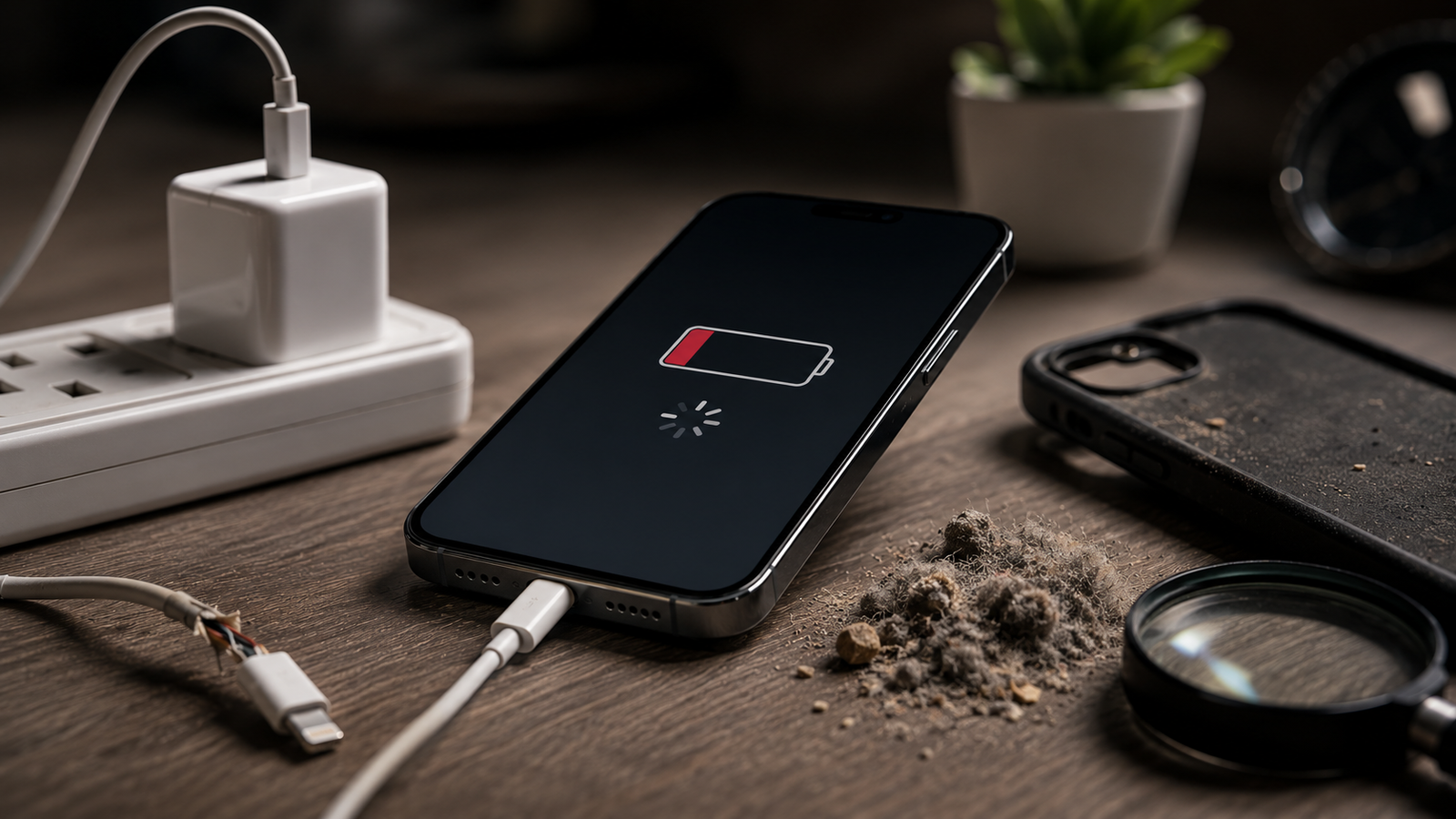
Why Fast Charging Doesn’t Always Mean Fast Charging Speeds
Many smartphone owners believe that purchasing a fast charger guarantees the fastest possible charging speed every time. In reality, fast charging depends on several different components working together correctly. If even one part of the charging system isn’t performing as expected, charging speed may be significantly reduced.
Understanding how fast charging works makes it much easier to identify why your phone may no longer charge at its normal speed.
Fast Charging Depends on More Than the Charger
A fast charger alone cannot increase charging speed unless your smartphone is capable of supporting the same charging standard.
For fast charging to work efficiently, several components must function correctly together:
- Smartphone battery
- Charging port
- Charging cable
- Power adapter
- Internal charging circuitry
- Software power management
If one of these components becomes damaged or worn, charging performance can decline even when using an expensive fast charger.
Heat Automatically Slows Charging
Modern smartphones constantly monitor battery temperature during charging.
If the phone becomes too warm, the charging system automatically reduces charging speed to protect the battery from overheating.
Heat may be caused by:
- Playing games while charging
- Direct sunlight
- Thick phone cases
- Poor ventilation
- High ambient temperatures
This protective feature helps extend battery life but often makes users believe the charger has stopped working properly.
Battery Health Influences Charging Speed
As batteries age, they gradually lose their ability to accept energy efficiently.
Even when using the correct charger, an older battery may charge noticeably slower than it did when the phone was new.
Common signs include:
- Charging slowing after 70–80%
- Longer charging times
- Increased heat during charging
- Reduced battery life
In many cases, battery wear contributes to slow charging without users realizing it.
Software Controls Charging Performance
Your smartphone’s operating system actively manages charging speed.
Features such as:
- Optimised charging
- Battery protection
- Temperature management
- Adaptive charging
are designed to improve battery lifespan.
Although these features are beneficial, they may intentionally slow charging under certain conditions.
Low-Quality Accessories Affect Charging Speed
Many third-party charging accessories advertise fast charging but fail to deliver stable power output.
Poor-quality cables often create electrical resistance, reducing the amount of power reaching the battery.
Similarly, uncertified charging adapters may not support your phone’s required charging protocol.
Using certified charging accessories helps maintain safe and consistent charging performance.
Common Reasons Your Phone Takes Too Long to Charge
When a smartphone suddenly begins charging much more slowly than before, there is usually an underlying reason rather than a random malfunction. Some causes are simple and can be corrected easily, while others require professional inspection.
Recognising these common problems early often prevents complete charging failure.
Dust and Pocket Debris Inside the Charging Port
One of the most common causes of slow charging is a dirty charging port.
Every day, your phone collects lint, dust, and small fibres while sitting inside pockets, handbags, backpacks, and vehicle compartments.
Over time, this debris prevents the charging cable from connecting securely.
Symptoms include:
- Loose charging cable
- Charging stopping unexpectedly
- Slow charging
- Cable needing to be positioned carefully
Professional cleaning safely removes debris without damaging delicate charging connectors.
Damaged Charging Cable
Charging cables experience constant bending and twisting throughout daily use.
Internal wire damage may not always be visible from the outside.
A damaged cable often causes:
- Inconsistent charging
- Reduced charging speed
- Charging interruptions
- Complete charging failure
Testing with another certified cable is often the quickest way to rule out cable problems.
Worn Charging Port
Repeated plugging and unplugging gradually wears the charging port itself.
Loose internal connectors reduce electrical contact between the cable and the phone.
As wear increases, charging becomes slower and eventually unreliable.
Battery Degradation
Older batteries naturally lose charging efficiency.
Although the phone still charges, reaching full capacity takes longer than it did previously.
Professional diagnostics help determine whether the battery or charging system is responsible.
Background Apps Consuming Power While Charging
Charging speed may appear slower when your phone continues using large amounts of power.
Heavy activities such as:
- Gaming
- Video streaming
- GPS navigation
- Video calls
consume battery power while the charger is trying to replenish it.
Closing unnecessary applications allows more charging power to reach the battery.
Software Bugs
Occasionally, software conflicts affect charging behaviour.
Restarting the device or installing software updates may resolve temporary charging problems.
If slow charging continues after troubleshooting, professional inspection is recommended.
At Blackapple Cellular, our technicians regularly diagnose Charging Issues affecting smartphones of all major brands. Whether you need Charging Repair Victoria or trusted Charging repair in Langford, identifying the true cause of slow charging is always the first step toward a reliable repair.
Is the Problem Your Charger, Cable, Battery or Charging Port?
When your phone begins charging slowly, it’s natural to blame the charger first. While faulty chargers are certainly one possible cause, they’re far from the only reason charging speeds decline. A modern smartphone charging system consists of several components working together, and if any one of them develops a fault, charging performance can suffer.
Understanding which component is responsible helps avoid unnecessary purchases and ensures the correct repair is carried out.
The Charger
A power adapter supplies electricity to your smartphone, but not every charger delivers the same output.
Using an underpowered or incompatible charger may result in significantly slower charging speeds, even if it appears to be working normally.
Signs of a charger problem include:
- Charging is slow on multiple devices.
- The charger becomes unusually hot.
- Charging starts and stops unexpectedly.
- Fast charging no longer activates.
Testing your phone with a certified charger is often the quickest way to determine whether the adapter is causing the problem.
The Charging Cable
Charging cables experience daily bending, twisting, and repeated movement.
Although the outer covering may still look intact, the internal wires can become damaged over time.
Common symptoms include:
- The cable only works in certain positions.
- Charging disconnects when the cable moves.
- Charging speed becomes inconsistent.
- The phone charges normally with another cable.
Replacing a damaged cable is a simple solution that often restores normal charging performance.
The Battery
Your battery stores the energy supplied by the charger.
As lithium-ion batteries age, they gradually lose their ability to accept power efficiently.
A worn battery may still charge successfully, but:
- Charging takes longer.
- Battery drains faster.
- The phone becomes warmer during charging.
- Battery percentage behaves unpredictably.
Professional diagnostics help determine whether battery degradation is affecting charging performance.
The Charging Port
The charging port is one of the most heavily used components of any smartphone.
Repeated plugging and unplugging eventually causes normal wear.
Dust, lint, moisture, or damaged connectors may prevent proper electrical contact.
Typical symptoms include:
- Loose charging cable
- Slow charging
- Charging interruptions
- Phone only charges when the cable is held at an angle
If cleaning does not resolve the issue, Charging port repair in Victoria may be required to restore reliable charging.
Charging Habits That Reduce Charging Speed Over Time
Many charging problems develop gradually because of everyday habits that most users don’t realize are affecting their device. Although modern smartphones include advanced battery protection systems, poor charging habits still contribute to long-term wear.
Making a few simple changes can improve charging performance and help extend the life of both the battery and charging system.
Using Your Phone While Charging
Playing games, streaming videos, or attending long video calls while charging forces the battery to charge and discharge simultaneously.
This increases heat generation and reduces the amount of power available to recharge the battery efficiently.
Allowing your phone to charge without heavy use produces better charging performance.
Using Low-Quality Charging Accessories
Cheap chargers and cables often fail to deliver stable voltage and current.
Inconsistent power delivery may lead to:
- Slower charging
- Additional heat
- Reduced battery lifespan
- Increased stress on charging components
Using high-quality certified accessories helps protect your smartphone.
Ignoring Dust Inside the Charging Port
Pocket lint and dust gradually accumulate inside the charging connector.
Over time, debris prevents the cable from making proper contact, resulting in slower charging or charging interruptions.
Periodic inspection and careful cleaning help maintain reliable charging performance.
Charging in Hot Environments
Charging your phone inside a parked car, under direct sunlight, or beneath blankets traps heat around the device.
When battery temperature rises too high, the phone automatically slows charging to protect internal components.
Charging in cooler, well-ventilated environments helps maintain faster charging speeds.
Waiting Too Long Before Seeking Repairs
Small charging problems rarely improve on their own.
Loose charging ports, damaged connectors, or internal charging faults typically worsen with continued use.
Seeking professional assistance early often prevents more extensive repairs later.
When Slow Charging Means Your Phone Needs Professional Repair
Not every charging problem requires repair, but certain symptoms indicate that professional diagnostics are the safest and most effective solution.
Ignoring these warning signs may eventually leave your phone unable to charge at all.
Your Phone Only Charges in One Position
If you need to wiggle or hold the charging cable at a particular angle, the charging port may be worn or internally damaged.
This usually requires professional repair rather than a new charger.
Charging Has Become Progressively Slower
If charging speed continues to decrease over several weeks despite using different chargers and cables, an internal problem is likely developing.
Professional testing identifies whether the battery, charging port, or charging circuitry is responsible.
Charging Stops Randomly
Intermittent charging often indicates:
- Loose charging connectors
- Damaged charging ports
- Internal circuit faults
These issues rarely resolve without repair.
Phone Overheats While Charging
Excessive heat during charging should never be ignored.
Although slight warmth is normal, overheating may indicate battery deterioration, charging circuit problems, or poor electrical connections.
Professional inspection helps prevent additional damage.
Moisture Has Entered the Charging Port
Water exposure may leave corrosion inside the charging connector even after the phone appears dry.
Early inspection significantly improves the chances of preventing permanent charging damage.
If you experience these symptoms, arranging Charging repair in Langford before the problem becomes more severe is usually the most cost-effective solution.
How Blackapple Cellular Fixes Charging Problems
At Blackapple Cellular, we understand how frustrating charging problems can be. Our approach focuses on identifying the exact cause rather than replacing parts unnecessarily.
Every repair begins with professional diagnostics.
Our technicians carefully inspect:
- Charging port condition
- Battery performance
- Charging circuitry
- Internal connectors
- Software charging behaviour
Once the issue has been identified, we explain the problem clearly and recommend the most appropriate repair solution.
Our charging repair process includes:
- Complete charging diagnostics
- Charging port inspection
- Safe component replacement when required
- Charging speed verification
- Final quality testing
Whether you require Phone charging repair in Victoria or Charging Repair Victoria, our experienced technicians use quality replacement parts and professional repair techniques to restore safe, reliable charging performance.
People also ask:
1. Why does my phone say “fast charging” but still charge slowly?
Answer: Your phone is likely slowing the speed automatically to prevent overheating, or a degraded battery is struggling to accept power efficiently.
2. Can using my phone while it’s plugged in damage the charging port?
Answer: Yes. Constant movement bends the cable, which wears down the port’s internal connectors and leads to loose connections.
3. How do I safely clean pocket lint out of my phone’s charging port?
Answer: Gently pull out debris using a wooden toothpick or anti-static brush. Never use metal needles or paperclips, as they break the pins.
4. Will an old or worn-out battery cause my phone to overheat?
Answer: Yes. Aging batteries have higher internal resistance, which causes them to generate excessive heat while processing a charge.
5. Why does my phone only charge when the cable is held at a certain angle?
Answer: This indicates a worn-out or loose charging port. The internal hardware is damaged and only connects when forced into position.
6. Can a cheap, third-party charging cable ruin my phone?
Answer: Yes. Uncertified cables deliver unstable power and voltage, which can overheat your phone and ruin its internal charging circuits.
7. Why does my phone’s charging speed drop dramatically after 80%?
Answer: This is a built-in software feature (like Optimized Charging) designed to reduce battery stress and prolong its overall lifespan.
8. How do I know if I need a new battery or a new charging port?
Answer: It’s a battery issue if the phone charges easily but drains fast. It’s a port issue if the cable feels loose or constantly disconnects.
Frequently Asked Questions:
Why is my phone charging slowly even with a fast charger?
Slow charging may be caused by a damaged charging cable, worn battery, dirty charging port, overheating, software settings, or charging port damage.
Can a dirty charging port reduce charging speed?
Yes. Dust and pocket lint often prevent the charging cable from making proper electrical contact.
Does battery age affect charging speed?
Yes. Older batteries gradually lose charging efficiency and typically take longer to reach full capacity.
Can software updates fix charging problems?
Some charging issues are software-related. Installing the latest updates may improve charging performance if the problem isn’t caused by hardware.
How do I know if my charging port is damaged?
Loose charging cables, intermittent charging, and charging only in certain positions usually indicate charging port wear.
When should I seek professional charging repair?
If your phone charges slowly with multiple chargers, disconnects randomly, overheats during charging, or stops charging altogether, professional inspection is recommended.