

Charging technology has evolved significantly over the last few years. Smartphones are no longer limited to traditional charging cables, as wireless charging has become a popular feature across many premium devices. Simply placing your phone on a charging pad feels convenient, eliminates the need for plugging in a cable, and reduces wear on the charging port. Because of this convenience, many smartphone users are now wondering whether wireless charging is actually better than traditional cable charging.
While both methods are designed to recharge your battery safely, they don’t work in exactly the same way. Each charging method has its own advantages, limitations, and long-term effects on your device. Some people believe wireless charging damages batteries faster, while others think cable charging wears out the charging port more quickly. With so much conflicting information available online, it can be difficult to separate myths from facts.
The reality is that both charging methods are safe when used correctly with high-quality accessories. However, factors such as charging speed, heat generation, battery age, charging habits, and accessory quality all influence your phone’s overall charging performance. Understanding these differences helps you choose the charging method that best suits your daily routine while protecting your smartphone over the long term.
At Blackapple Cellular, we regularly assist customers experiencing charging problems caused by worn charging ports, damaged accessories, or battery-related issues. Through professional diagnostics and expert repairs, we help identify whether charging problems are caused by the charging method itself or by hardware that requires attention.
In this guide, we’ll compare wireless charging and cable charging, explain how each method works, discuss their impact on battery health, and help you decide which option is best for everyday use.
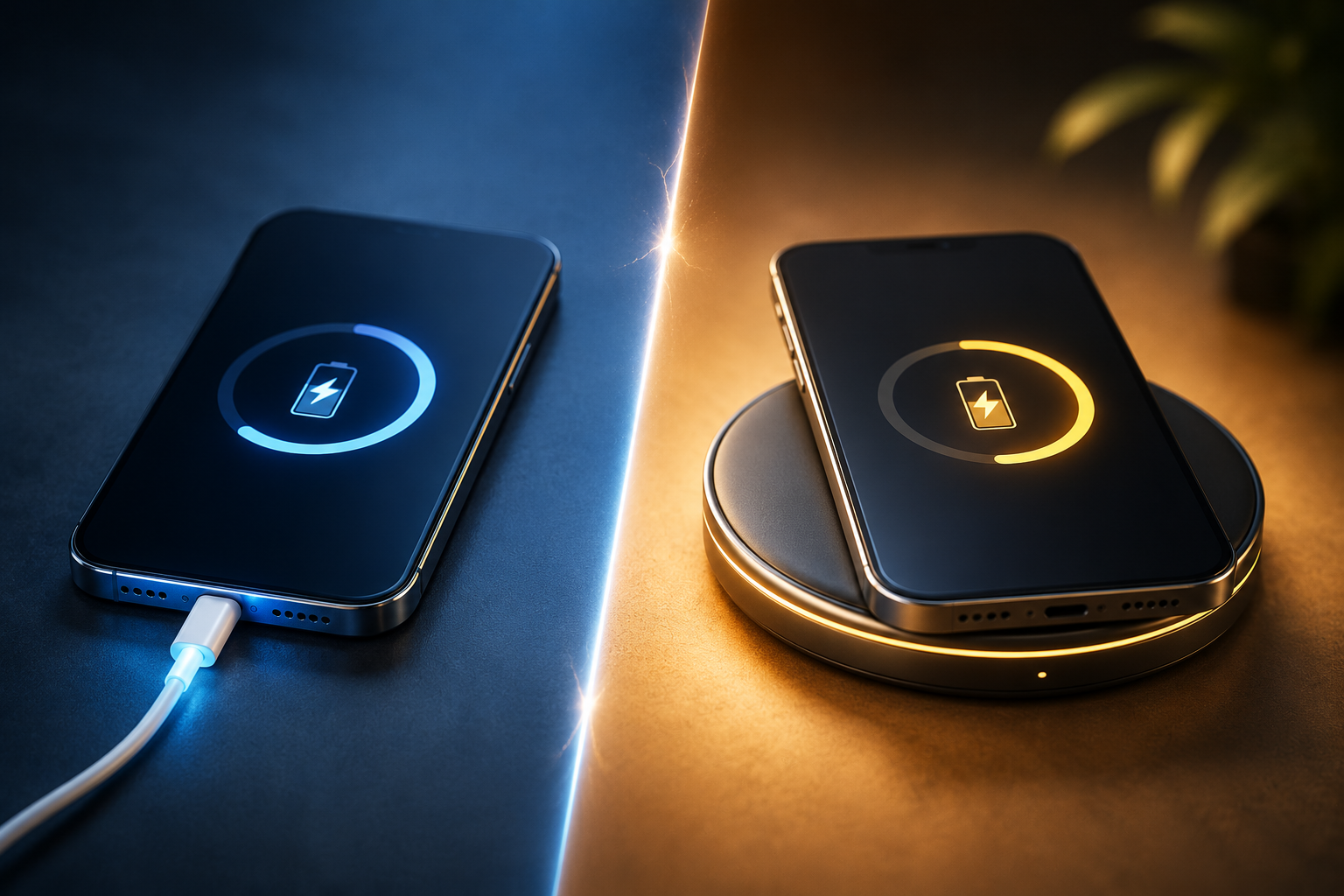
Understanding How Both Charging Methods Work
Although both charging methods perform the same task—recharging your smartphone—they deliver electrical power in very different ways. Understanding these differences makes it easier to appreciate why charging speed, efficiency, and heat generation can vary.
How Cable Charging Works
Cable charging transfers electrical power directly from the charger to your smartphone through a physical connection.
When you connect a charging cable:
- Electricity flows directly through the charging cable.
- The charging port receives the power.
- Internal charging circuitry regulates voltage and current.
- The battery stores the energy safely.
Because electricity travels through a direct physical connection, cable charging is generally the most efficient method available.
Modern smartphones also support advanced fast-charging technologies that increase charging speed while carefully managing battery temperature and voltage.
How Wireless Charging Works
Wireless charging operates differently.
Instead of transferring electricity through a cable, wireless chargers use electromagnetic induction.
A charging pad contains a coil that generates an electromagnetic field.
Inside your smartphone, another coil receives this energy and converts it back into electricity, which is then used to charge the battery.
Although the process feels seamless, it involves an additional energy conversion step.
Because of this conversion, wireless charging naturally loses some energy as heat before it reaches the battery.
This explains why wireless charging often feels warmer than cable charging.
Why Alignment Matters
Unlike cable charging, wireless charging requires precise positioning.
If the phone is not centred correctly on the charging pad:
- Charging may become slower.
- Charging may stop intermittently.
- More heat may be generated.
- Charging efficiency decreases.
Many newer wireless chargers include magnetic alignment systems to help position the phone correctly and improve charging consistency.
Different Phones Support Different Charging Standards
Not every smartphone supports the same charging speeds.
Some devices offer:
- Standard wireless charging
- Fast wireless charging
- Ultra-fast cable charging
- Adaptive charging technologies
Using incompatible chargers or lower-powered accessories may prevent your phone from charging at its maximum supported speed.
Both Methods Depend on Healthy Charging Hardware
Regardless of whether you choose wireless or cable charging, both methods rely on healthy internal charging components.
If your smartphone has:
- A worn charging circuit
- Battery degradation
- Internal charging faults
charging performance may decline regardless of the charging method you use.
Does Wireless Charging Damage Battery Health?
One of the biggest questions smartphone users ask is whether wireless charging shortens battery life.
The simple answer is no—not when used properly.
Modern smartphones include sophisticated battery management systems designed to protect the battery regardless of how it is charged. These systems monitor temperature, charging speed, and battery condition to ensure charging remains within safe operating limits.
However, there are several important factors that influence battery health over time.
Heat Is the Real Concern
Many people believe wireless charging damages batteries because it generates more heat.
The charging technology itself is not harmful, but excessive heat can accelerate battery aging.
Wireless charging naturally produces slightly more heat than cable charging because energy is transferred through electromagnetic induction rather than a direct electrical connection.
Fortunately, manufacturers include thermal management systems that automatically reduce charging speed if temperatures become too high.
Battery Health Depends More on Charging Habits
The way you charge your phone often has a much greater impact than the charging method itself.
Healthy charging habits include:
- Avoiding excessive heat.
- Using certified charging accessories.
- Keeping charging ports clean.
- Allowing proper airflow while charging.
- Avoiding poor-quality chargers.
These habits contribute more to long-term battery health than choosing wireless or cable charging alone.
Wireless Charging Is Safe for Daily Use
When using a certified charger that supports your smartphone, wireless charging is considered perfectly safe for everyday use.
It provides excellent convenience, particularly at home, in the office, or on bedside tables where repeatedly plugging and unplugging cables isn’t necessary.
Battery Age Still Matters
Even if you use wireless charging exclusively, your battery will naturally age over time.
Lithium-ion batteries gradually lose capacity after hundreds of charging cycles regardless of the charging method.
When battery performance begins to decline significantly, professional inspection helps determine whether the battery or charging hardware requires attention.
At Blackapple Cellular, our technicians regularly inspect smartphones experiencing charging problems. In many cases, customers searching for Charging port repair services near you in Victoria discover that proper diagnostics identify the real cause before unnecessary parts are replaced.
Which Charging Method Is Faster and More Efficient?
One of the biggest differences between wireless charging and cable charging is how efficiently power reaches your smartphone. While both methods are designed to recharge your battery safely, they transfer electricity in different ways, which affects charging speed, energy efficiency, and heat generation.
For users who rely heavily on their smartphones throughout the day, understanding these differences can help them choose the charging method that best matches their lifestyle.
Cable Charging Delivers Power More Efficiently
A charging cable provides a direct electrical connection between the charger and your smartphone.
Because electricity travels directly into the phone without needing to be converted through electromagnetic induction, very little energy is lost during the process.
This means cable charging generally offers:
- Faster charging speeds
- Higher energy efficiency
- Less wasted electricity
- Lower heat generation under normal conditions
Modern fast-charging technologies can recharge many smartphones to a high battery percentage in a relatively short time, making cable charging the preferred choice for people who need quick power throughout the day.
Wireless Charging Prioritises Convenience
Wireless charging focuses on ease of use rather than maximum charging speed.
Instead of plugging in a cable every time, users simply place the phone on a compatible charging pad.
Although this convenience is appealing, wireless charging usually transfers power more slowly because part of the energy is lost as heat during the wireless transfer process.
For overnight charging or charging while working at a desk, this slightly slower speed is rarely a problem.
Heat Affects Charging Efficiency
Regardless of the charging method, excessive heat reduces charging efficiency.
Wireless charging naturally generates more heat because electricity passes through charging coils before reaching the battery.
Cable charging can also become hot when:
- Low-quality chargers are used.
- Damaged charging cables create electrical resistance.
- The phone is heavily used while charging.
- Charging occurs in very hot environments.
Keeping your phone cool allows both charging methods to operate more efficiently.
Charging Speed Depends on Multiple Factors
Many people assume the charger alone determines charging speed.
In reality, charging performance depends on several components working together.
These include:
- Battery condition
- Charging port
- Charging cable
- Power adapter
- Internal charging circuitry
- Software battery management
Even the fastest charger cannot compensate for worn hardware or internal charging faults.
Myths About Wireless Charging You Should Stop Believing
Wireless charging has become increasingly common, but many misconceptions still cause confusion. Understanding the facts helps smartphone owners make better decisions while avoiding unnecessary concerns.
Myth 1: Wireless Charging Always Damages the Battery
This is one of the most common misconceptions.
Modern smartphones include advanced battery management systems designed to protect the battery regardless of the charging method being used.
Battery aging is influenced much more by:
- Heat
- Charging cycles
- Battery age
- Charging habits
than by wireless charging itself.
Myth 2: Wireless Charging Is Dangerous
Certified wireless chargers undergo extensive safety testing.
Quality chargers include protection against:
- Overheating
- Overcharging
- Voltage fluctuations
- Foreign object detection
Using certified accessories from reputable manufacturers makes wireless charging a safe everyday option.
Myth 3: Wireless Charging Is Always Slower
While wireless charging is generally slower than fast cable charging, modern wireless charging technology has improved significantly.
Many newer devices now support high-speed wireless charging capable of delivering impressive charging performance for everyday users.
Myth 4: Leaving Your Phone on a Wireless Charger Damages It
Most smartphones automatically stop charging once the battery reaches full capacity.
Battery management software controls charging safely regardless of whether the phone is connected by cable or placed on a wireless charging pad.
Myth 5: Wireless Charging Eliminates All Charging Problems
Wireless charging reduces wear on the charging port because cables are used less frequently.
However, it does not eliminate problems caused by:
- Battery degradation
- Internal charging circuits
- Software faults
- Motherboard issues
Professional diagnostics remain important whenever charging problems persist.
Which Charging Method Should You Choose for Daily Use?
There is no single charging method that suits everyone.
The best option depends on your daily routine, charging habits, and how you typically use your smartphone.
Choose Cable Charging If:
Cable charging is ideal if you:
- Need the fastest possible charging speed.
- Travel frequently.
- Depend on your phone for work.
- Frequently charge while away from home.
- Need quick charging before leaving.
Direct cable charging remains the most efficient option for users who value speed.
Choose Wireless Charging If:
Wireless charging works well if you:
- Charge mainly overnight.
- Keep your phone on a desk throughout the day.
- Want greater convenience.
- Prefer reducing wear on the charging port.
Many people successfully combine both charging methods depending on the situation.
Combining Both Methods
Many smartphone owners now use cable charging when they need fast charging and wireless charging during the evening or while working.
This balanced approach provides both convenience and efficiency without negatively affecting battery health when quality accessories are used.
Listen to Your Smartphone
Regardless of which charging method you prefer, pay attention to warning signs such as:
- Slow charging
- Excessive heat
- Charging interruptions
- Loose charging cable
- Battery draining unusually quickly
These symptoms may indicate hardware problems rather than issues with the charging method itself.
If charging problems continue despite using quality accessories, arranging Charging repair in Campbell or Mobile charging repair in Langford BC can help identify the real cause before more serious damage develops.
Conclusion
Wireless charging and cable charging both offer reliable ways to power your smartphone, but each has its own advantages. Cable charging remains the better choice for users who need maximum charging speed and energy efficiency, while wireless charging provides unmatched convenience for everyday use at home or in the office. When used with certified accessories and healthy charging habits, both methods are safe for your battery and can support long-term device performance.
The most important factor isn’t choosing one method over the other—it’s ensuring your smartphone’s charging system is functioning correctly. If your phone continues charging slowly, overheats, or struggles to maintain a stable connection regardless of the charging method, the problem may involve the charging port, battery, or internal charging components rather than the charger itself.
At Blackapple Cellular, we provide professional diagnostics and reliable charging solutions for smartphones experiencing persistent charging problems. Whether you need Charging port repair services near you in Victoria, Charging port repair in Langford, or Cell phone charging repair in Campbell, our experienced technicians identify the root cause and restore safe, dependable charging performance using high-quality replacement components.
People Also Ask
1. Does wireless charging stop at 100%?
Yes. Modern phones and certified chargers automatically cut off or reduce power once the battery is full to prevent overcharging.
2. Can I charge wirelessly with a phone case on?
Yes, usually. It works through standard thin plastic/rubber cases (under 3mm), but extra-thick, rugged, or metal cases will block the signal.
3. Does wireless charging waste electricity?
Yes, a little. It loses about $30\%$ to $40\%$ of its energy as heat. While less efficient than a cable, the impact on your electric bill is barely noticeable.
4. Why is my wireless charging suddenly very slow?
It is usually due to misalignment on the pad. High room temperatures or your phone getting too hot will also cause the system to slow down to protect the battery.
5. Can I use my phone while it charges wirelessly?
Not easily. Lifting the phone breaks the connection unless you use a magnetic (MagSafe/Qi2) charger. Using it while on the pad also creates extra heat, which slows down charging.
6. Is the new Qi2 wireless standard as fast as a cable?
No. Qi2 hits up to 15W with magnetic alignment, which is much faster than older wireless pads, but standard fast-charging cables ($20\text{W}$ to $45\text{W}+$) are still much quicker.
7. Can wireless charging ruin credit cards?
Yes. The magnetic fields and heat can demagnetize the strips or damage chips on cards kept inside phone wallet cases during charging.
8. Does wireless charging reduce phone repair costs?
Yes. By plugging in a cable less frequently, you prevent physical wear and tear on your phone’s internal charging port, reducing the need for future hardware repairs.
Frequently Asked Questions
Is wireless charging safe for my smartphone?
Yes. Certified wireless chargers are designed to charge smartphones safely and include multiple protection systems against overheating and overcharging.
Does wireless charging reduce battery lifespan?
No. Battery lifespan depends more on charging cycles, heat, battery age, and charging habits than on whether you charge wirelessly or with a cable.
Why does my phone become warmer during wireless charging?
Wireless charging naturally produces slightly more heat because electricity is transferred through electromagnetic induction rather than a direct cable connection.
Is cable charging always faster?
In most situations, yes. Cable charging transfers power more efficiently and generally supports higher charging speeds than wireless charging.
Can wireless charging damage my charging port?
No. In fact, wireless charging reduces wear on the charging port because the cable is used less frequently.
When should I seek professional charging repair?
If your phone charges slowly with multiple chargers, disconnects frequently, overheats excessively, or refuses to charge properly, professional diagnostics are recommended.