

Quick Summary
If your iPhone gets hot while charging, it can be worrying, but not every case indicates a serious problem. While a slight increase in temperature is normal during charging, excessive heat may point to battery wear, faulty charging accessories, software issues, or internal hardware problems. If you’re searching for iPhone repair Victoria, understanding these warning signs early can help prevent expensive repairs and extend your device’s lifespan. Professional diagnostics can identify the exact cause before the problem worsens.
In this guide, you’ll learn:
- Why your iPhone gets warm while charging and what is considered normal.
- The most common reasons an iPhone overheats during charging.
- How excessive heat can affect your battery, charging system, and motherboard.
- Simple tips to prevent your iPhone from overheating while charging.
- When overheating becomes a warning sign that you need professional repair.
- Why Blackapple Cellular is a trusted choice for iPhone repair Victoria and battery diagnostics.
Introduction
Few things are more concerning than picking up your iPhone while it’s charging and noticing that it’s unusually warm. While a slight increase in temperature is completely normal, excessive heat is not something you should ignore. If your iPhone Get Hot While Charging, it could be an early sign of an underlying hardware or software problem. Your iPhone is designed with advanced safety features that regulate temperature during charging, but when it becomes too hot to comfortably hold, it shouldn’t be ignored.
Many users assume that overheating only happens with older devices. In reality, even newer iPhones can experience charging-related heat due to battery wear, damaged charging components, poor-quality accessories, or internal system issues. Ignoring these warning signs may reduce your battery lifespan, affect your phone’s performance, or eventually lead to more expensive repairs.
Understanding the difference between normal warmth and dangerous overheating can help you protect your investment. In many cases, identifying the issue early prevents additional damage to important components such as the battery, charging circuit, or motherboard.
At Blackapple Cellular, we regularly help customers looking for iPhone repair Victoria after experiencing overheating problems. What initially appears to be a simple charging issue can often be repaired quickly when diagnosed early by experienced technicians.
In this guide, we’ll explain why your iPhone gets hot while charging, what causes excessive heat, how to prevent future problems, and when it’s time to seek professional iPhone repair services.
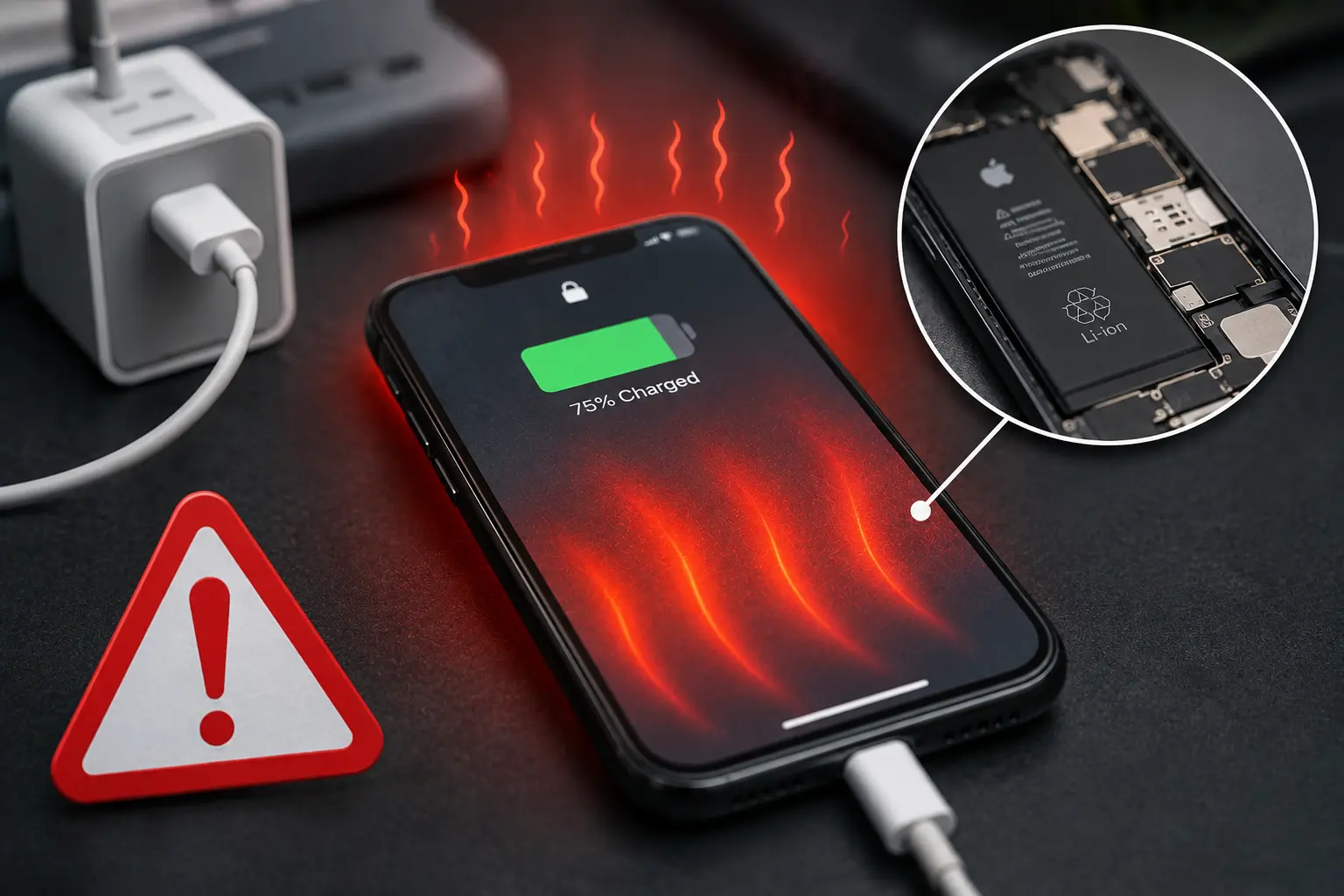
Why Does Your iPhone Heat Up While Charging? Understanding What’s Normal and What’s Not
One of the biggest misconceptions among smartphone users is that any amount of heat means something is wrong. The truth is that every rechargeable lithium-ion battery naturally generates a certain amount of heat during charging. This happens because electricity flowing into the battery creates resistance, and resistance always produces heat.
Modern iPhones are specifically engineered to manage this process safely. Apple’s battery management system constantly monitors charging speed, battery temperature, and voltage to ensure everything stays within a safe operating range. This is why your phone may feel slightly warm after charging for a while, especially if you’re using fast charging.
Normal charging temperatures usually occur when:
- You’re using an official or certified charger.
- The room temperature is moderate.
- The battery is healthy.
- The phone isn’t performing demanding tasks while charging.
In these situations, a little warmth isn’t a problem and doesn’t affect the longevity of your device.
However, overheating is different.
If your iPhone becomes extremely hot while charging, displays a temperature warning, slows down dramatically, or automatically stops charging, your phone is trying to protect itself from potential damage. This built-in safety feature prevents excessive heat from harming sensitive internal components.
Some users also notice their phone heating up only while using applications during charging. Streaming videos, playing games, making video calls, or editing photos while plugged in forces the processor and battery to work simultaneously. This combination naturally produces much more heat than charging alone.
Environmental conditions also matter. Leaving your iPhone inside a parked car during summer or charging it under a pillow restricts airflow and traps heat around the battery. Even a healthy battery can overheat under these circumstances.
Although occasional warmth is expected, repeated overheating should never become part of your normal routine. Persistent high temperatures accelerate battery degradation, shorten component lifespan, and reduce overall device performance.
If your iPhone consistently becomes hot every time you charge it, it’s worth having it inspected before a minor issue develops into a costly repair.
7 Common Reasons Your iPhone Gets Hot During Charging
Understanding what causes overheating is the first step toward preventing long-term damage. While many people immediately blame the battery, several different components can contribute to charging-related heat.
1. An Aging Battery
Every lithium-ion battery has a limited lifespan. After hundreds of charging cycles, the battery gradually loses its ability to store and distribute energy efficiently. As the battery ages, it generates more heat during charging because it has to work harder to reach full capacity.
This is one of the most common reasons customers visit Blackapple Cellular for Affordable iPhone Battery Replacement. Replacing a worn-out battery often restores both charging performance and overall device reliability.
2. Low-Quality Charging Accessories
Not every charger sold online meets Apple’s safety standards. Cheap charging adapters and uncertified Lightning cables may deliver unstable voltage, causing unnecessary stress on the battery.
Poor-quality accessories can also generate excessive heat inside the charging port, reducing charging efficiency and increasing the risk of long-term component failure.
Using Apple-certified accessories is always recommended for safe charging.
3. Background Apps Working During Charging
Many apps continue syncing data, updating content, and using location services while your phone charges.
For example:
- Cloud backups
- Social media syncing
- Automatic software updates
- Navigation apps
- Streaming platforms
When these processes run simultaneously with battery charging, the processor works much harder, increasing overall device temperature.
Closing unnecessary background applications before charging can noticeably reduce heat generation.
4. Fast Charging Generates More Heat
Fast charging technology is incredibly convenient because it delivers more power in less time.
However, higher charging speeds naturally create more heat than standard charging.
This doesn’t mean fast charging is harmful—it simply requires proper temperature management.
Using certified chargers allows the iPhone’s software to regulate charging speed safely while protecting battery health.
5. Charging in Hot Environments
External temperature plays a major role in battery performance.
Charging your iPhone in direct sunlight, inside a hot vehicle, or on soft surfaces that trap heat prevents proper cooling.
Your device may automatically slow charging or temporarily stop charging altogether until the temperature returns to a safe range.
A cool, well-ventilated location is always the best place to charge your phone.
6. Software Issues
Sometimes overheating isn’t caused by hardware at all.
A recently installed app, unfinished iOS update, or software bug can force the processor to operate continuously, causing unnecessary heat generation.
Restarting the phone, updating iOS, or resetting problematic apps may resolve the issue without requiring repairs.
7. Internal Hardware Problems
If none of the previous causes apply, the issue may lie deeper inside the device.
Possible hardware faults include:
- Damaged charging IC
- Faulty charging port
- Power management circuit issues
- Logic board damage
- Previous liquid damage
These problems require professional diagnostics because replacing the battery alone won’t solve the underlying issue.
At Blackapple Cellular, our technicians provide professional iPhone repair in Langford and Victoria using advanced diagnostic tools to accurately identify the root cause before recommending any repair.
Can a Hot iPhone Damage the Battery or Other Internal Components?
Many iPhone users assume that a device simply becoming warm isn’t a major concern. While occasional warmth during charging is completely normal, continuous overheating is something you should never ignore. Excessive heat doesn’t just affect your comfort while using the phone it can gradually damage several important internal components that keep your device functioning properly.
The lithium-ion battery inside your iPhone is particularly sensitive to heat. Every battery has a limited number of charging cycles, and exposure to high temperatures speeds up its natural aging process. As the battery degrades, you may notice shorter battery life, slower charging, unexpected shutdowns, or inaccurate battery percentage readings. Eventually, the battery may begin to swell, which can place pressure on the display and other internal parts.
Heat doesn’t stop at the battery. Prolonged overheating can also affect:
Charging Components
High temperatures place additional stress on the charging circuit and power management system. Over time, this may lead to slower charging speeds, intermittent charging, or complete charging failure.
Display Performance
The iPhone display contains delicate connectors and adhesive that can weaken under excessive heat. Users sometimes notice reduced screen responsiveness, flickering, discoloration, or touch issues after repeated overheating.
Processor Performance
Apple devices are designed to protect themselves when temperatures rise. When your iPhone becomes too hot, iOS automatically reduces processor speed to lower heat production. While this protects your device, it also causes noticeable lag, slower app performance, and reduced responsiveness.
Logic Board Damage
In more serious cases, prolonged overheating may damage tiny components on the logic board. Since the motherboard controls every major function of your phone, repairs become significantly more expensive if heat-related damage reaches this stage.
Fortunately, most overheating problems can be prevented by identifying the root cause early. Whether it’s a worn-out battery or a charging issue, addressing it before permanent damage occurs is always the most cost-effective solution.
Simple Things You Can Do to Keep Your iPhone Cool While Charging
The good news is that many overheating issues can be reduced simply by changing a few daily charging habits. These small adjustments help your battery work more efficiently while reducing unnecessary heat.
Remove Thick Phone Cases During Charging
Protective cases are excellent for preventing accidental damage, but some heavy-duty cases trap heat around the device. If your iPhone consistently becomes warm while charging, try removing the case and allowing better airflow.
Avoid Using Your Phone While It’s Charging
Watching YouTube videos, scrolling through social media, playing games, or attending video meetings while charging forces both the processor and battery to work at the same time.
This combination naturally produces more heat.
If possible, allow your iPhone to charge uninterrupted before using demanding applications.
Always Use Certified Chargers
One of the biggest causes of unnecessary heating is poor-quality charging accessories.
Certified chargers regulate voltage correctly and communicate properly with your iPhone’s charging system. Cheap adapters and cables often deliver unstable power, causing unnecessary stress on the battery.
Investing in quality charging accessories protects both battery life and long-term device performance.
Keep Your Charging Area Cool
Where you charge your phone matters.
Avoid charging:
- Under pillows
- Inside hot vehicles
- On blankets
- Near heaters
- In direct sunlight
Instead, place your iPhone on a flat surface where air can circulate freely.
Keep iOS Updated
Apple frequently releases software updates that improve battery management and optimize charging efficiency.
If your phone is running outdated software, installing the latest iOS version may reduce unnecessary processor activity and improve temperature control.
Close Background Applications
Many apps continue running even after you’ve closed them.
Background processes like cloud syncing, automatic downloads, GPS tracking, and social media updates consume power while charging.
Closing unnecessary applications before charging reduces processor workload and minimizes heat generation.
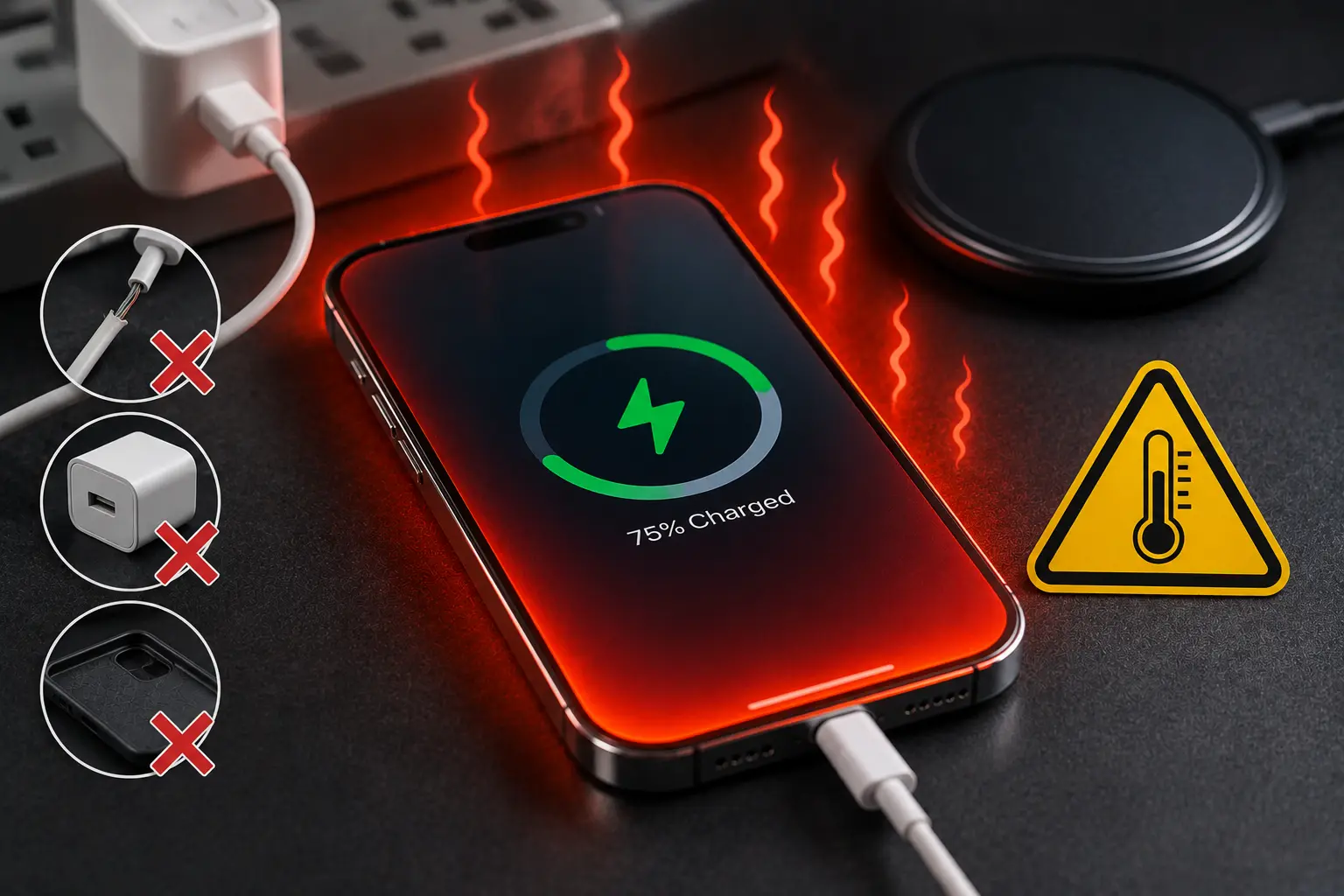
When Overheating Is a Warning Sign That You Need Professional Repair
While occasional warmth is expected, there are situations where overheating indicates a more serious hardware issue.
You should consider professional inspection if your iPhone:
- Becomes extremely hot every time it charges
- Displays the “Temperature” warning screen
- Stops charging before reaching 100%
- Restarts randomly during charging
- Drains battery unusually fast
- Shuts down unexpectedly
- Feels hot even when not charging
These symptoms often point to battery deterioration, charging circuit faults, or power management issues that require specialized diagnostic equipment.
Delaying repairs can allow minor problems to spread into expensive motherboard damage.
If you’ve already tried changing chargers, restarting your device, and updating iOS without improvement, it’s time to seek professional assistance.
At Blackapple Cellular, our technicians carefully inspect every device before recommending repairs. Instead of replacing parts unnecessarily, we identify the actual cause of overheating, ensuring customers only pay for repairs their device genuinely needs.
How Blackapple Cellular Diagnoses and Fixes iPhone Overheating Issues
Every overheating issue is different. That’s why our technicians never rely on guesswork.
Our repair process begins with a complete diagnostic inspection to identify exactly why your device is generating excessive heat.
Battery Health Testing
We check battery capacity, charging cycles, and voltage stability to determine whether the battery is reaching the end of its lifespan.
If necessary, we recommend Affordable iPhone Battery Replacement using high-quality replacement components designed for long-term performance.
Charging System Inspection
Our technicians inspect:
- Charging connector
- Charging circuitry
- Power management components
- Internal charging contacts
This helps identify hidden charging problems that may be generating unnecessary heat.
Internal Hardware Examination
Using professional diagnostic equipment, we inspect for:
- Liquid damage
- Corrosion
- Logic board faults
- Damaged connectors
- Previous repair issues
Many overheating problems originate from hidden internal damage that isn’t visible externally.
Software Diagnostics
Sometimes the problem isn’t hardware at all.
Our technicians also examine:
- Background applications
- Battery calibration
- Software conflicts
- iOS performance
By checking both hardware and software, we provide accurate solutions instead of replacing parts unnecessarily.
Whether you need an iPhone battery replacement or complete iPhone repair services, our goal is always to restore your device safely while helping extend its lifespan.
Conclusion
Your iPhone is designed to manage heat during everyday charging, but consistent overheating is never something to ignore. What starts as a slightly warm device can eventually lead to reduced battery life, charging problems, slower performance, and expensive internal damage if left untreated.
Fortunately, most overheating issues can be identified early through proper diagnostics and repaired before they become major problems. Following good charging habits, using certified accessories, and addressing warning signs quickly can significantly extend the life of your device.
If your iPhone becomes unusually hot while charging or shows repeated signs of overheating, trust the experienced team at Blackapple Cellular. With professional diagnostics, reliable repairs, and a commitment to quality workmanship, we’ll help restore your iPhone’s performance and keep it running safely for years to come.
People Also Ask
1. Is it normal for an iPhone to get warm while charging?
Yes. Mild warmth is normal, especially with fast charging or background tasks. Uncomfortably hot temperatures or heat warning screens indicate an issue that needs checking.
2. Why does my iPhone get hot when plugged in?
Common causes include an aging battery, non-certified chargers, resource-heavy apps running during charging, charging in hot spots, or power management hardware faults.
3. Can excessive heat permanently damage my phone?
Yes. High heat degrades battery health rapidly, reduces overall screen responsiveness, slows down performance, and can harm motherboard components over time.
4. How can I stop my iPhone from overheating while charging?
Remove thick cases, use Apple-certified chargers, avoid using heavy apps while plugged in, close background apps, and charge on a cool, flat surface.
5. Will a battery replacement fix the overheating?
If the heat is caused by battery degradation, yes. If the root cause is a faulty charging port, bad cable, or motherboard issue, replacing the battery alone won’t solve it.
6. What should I do if the “Temperature” warning screen pops up?
Unplug the phone immediately, take off its case, and let it cool naturally in a shaded spot. Never place it in a fridge or freezer, as condensation will cause liquid damage.
7. When should I bring it to Blackapple Cellular for repair?
Bring it into our Victoria or Langford locations if your iPhone gets extremely hot every time it charges, drains quickly, shuts off unexpectedly, or stops charging before 100%
Frequently Asked Questions
Is it normal for my iPhone to become warm while charging?
Yes. A slight increase in temperature during charging is completely normal. However, if your iPhone becomes too hot to hold comfortably or repeatedly displays temperature warnings, it should be professionally inspected.
Can overheating permanently damage my iPhone?
Yes. Long-term overheating can reduce battery lifespan, damage charging components, affect display performance, and even harm the motherboard if left unresolved.
Does fast charging make my iPhone hotter?
Fast charging naturally produces more heat than standard charging. However, certified chargers and healthy batteries are designed to manage this safely.
Will replacing the battery fix overheating?
If the overheating is caused by battery degradation, replacing the battery often resolves the issue. However, professional diagnostics are recommended to confirm the exact cause before replacement.
Should I stop charging my phone if it gets extremely hot?
Yes. Disconnect the charger, allow the phone to cool naturally, and avoid using it until the temperature returns to normal. If overheating continues, seek professional repair.
How long does it take to diagnose an overheating iPhone?
Most diagnostic inspections can be completed within a short time. After testing, technicians explain the findings and recommend the most appropriate repair solution.