

Quick Summary
Your iPhone’s battery health affects its performance, battery life, and charging reliability. This guide explains how to check your battery health, understand the warning signs, and know when it’s time to replace the battery before bigger problems develop.
In this guide, you’ll learn:
- How to check your iPhone’s battery health.
- What Maximum Capacity and Peak Performance mean.
- Signs your iPhone battery is wearing out.
- When you should replace your iPhone battery.
- Tips to keep your iPhone battery healthy for longer.
- When to seek professional battery replacement.
Introduction
Your iPhone’s battery is one of the most important components inside your device. Every call you make, every photo you capture, every app you open, and every notification you receive depends on a healthy battery. Yet, it’s also one of the few parts that naturally wears out over time.
Unlike a cracked screen or a broken camera, battery problems usually develop gradually. At first, you may notice your phone running out of power a little earlier than usual. Then it begins shutting down unexpectedly, charging more slowly, or struggling to last through a normal day. Many users assume these issues are caused by software updates or simply believe their phone is getting old. In reality, the battery is often the real reason.
The good news is that Apple gives every iPhone user a built-in tool to monitor battery condition. Understanding what this information means can help you detect problems early and avoid unexpected breakdowns. Instead of waiting until your phone becomes unreliable, checking your battery health regularly allows you to take action before small issues turn into expensive repairs.
At Blackapple Cellular, we frequently meet customers who think they need a brand-new phone, only to discover that a professional iPhone battery replacement restores their device to excellent performance. In many cases, replacing a worn-out battery is far more affordable than upgrading to a new smartphone.
In this guide, you’ll learn what iPhone battery health actually measures, how to check it correctly, the warning signs of battery failure, and why professional battery testing provides a much clearer picture than simply relying on the battery percentage displayed on your screen.
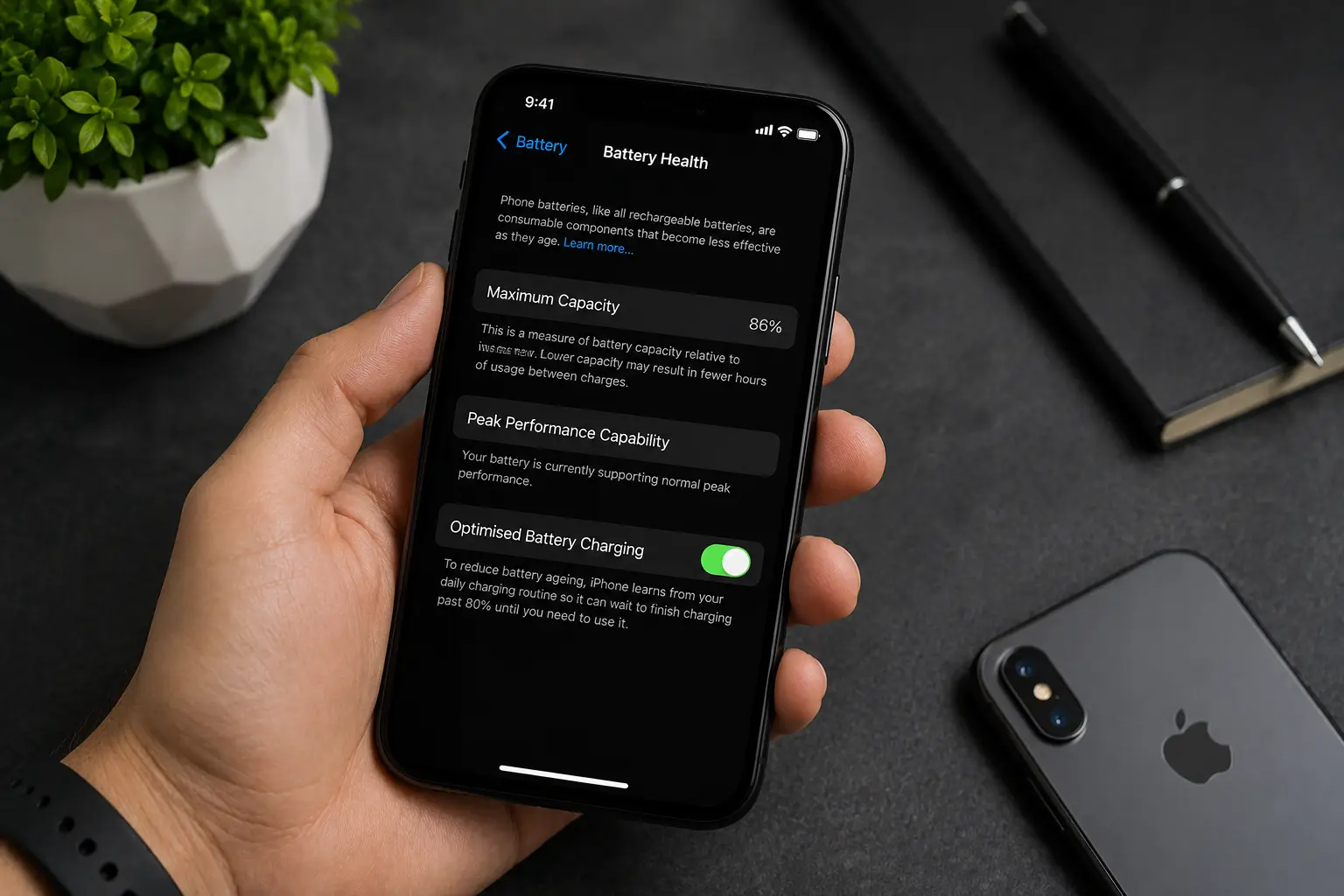
What Does iPhone Battery Health Actually Mean?
Many people confuse battery percentage with battery health, but they are two completely different things.
Battery percentage simply tells you how much power remains at that moment. Battery health, on the other hand, measures how much of the battery’s original capacity it can still hold compared to when it was brand new.
Every iPhone uses a lithium-ion battery, and like all rechargeable batteries, it gradually loses capacity after repeated charging cycles. This process is completely normal and happens to every smartphone, regardless of the brand. Over months and years of daily use, the battery becomes less efficient at storing energy.
For example:
- A brand-new battery starts at 100% Maximum Capacity.
- After normal use, it may drop to 95%.
- Eventually, it could decline to 85%, 80%, or lower.
As battery health decreases, your iPhone cannot store as much energy as it once could. Even if your phone shows 100% charge, it won’t last nearly as long as it did when the battery was new.
Apple also monitors something called Peak Performance Capability. This feature determines whether the battery can deliver enough power for demanding tasks. When the battery becomes heavily worn, your iPhone may automatically reduce processor performance to prevent unexpected shutdowns.
This is why older devices sometimes feel slower even though the software hasn’t changed. It’s not always the processor causing the issue—it may simply be the battery struggling to provide enough power.
Understanding battery health helps you make informed decisions about your device. Instead of guessing whether your phone needs repairs, you can use real battery data to determine when maintenance becomes necessary.
Easy Ways to Check If Your Battery Is Losing Performance
Many users don’t realize that Apple has made checking battery health incredibly simple. Within just a few seconds, you can see whether your battery is performing normally or showing signs of wear.
Check Battery Health in Settings
To view your battery condition:
- Open Settings
- Tap Battery
- Select Battery Health & Charging
You’ll immediately see two important indicators:
Maximum Capacity
This number shows how much energy your battery can store compared to when it was new.
Generally speaking:
- 100%–90% indicates excellent battery condition.
- 89%–85% suggest moderate wear but still good everyday performance.
- 84%–80% often results in noticeably shorter battery life.
- Below 80% usually indicates that it’s time to consider a Battery Replacement Service.
Apple itself recommends replacing the battery once its maximum capacity falls below 80%, as performance and reliability begin to decline more rapidly.
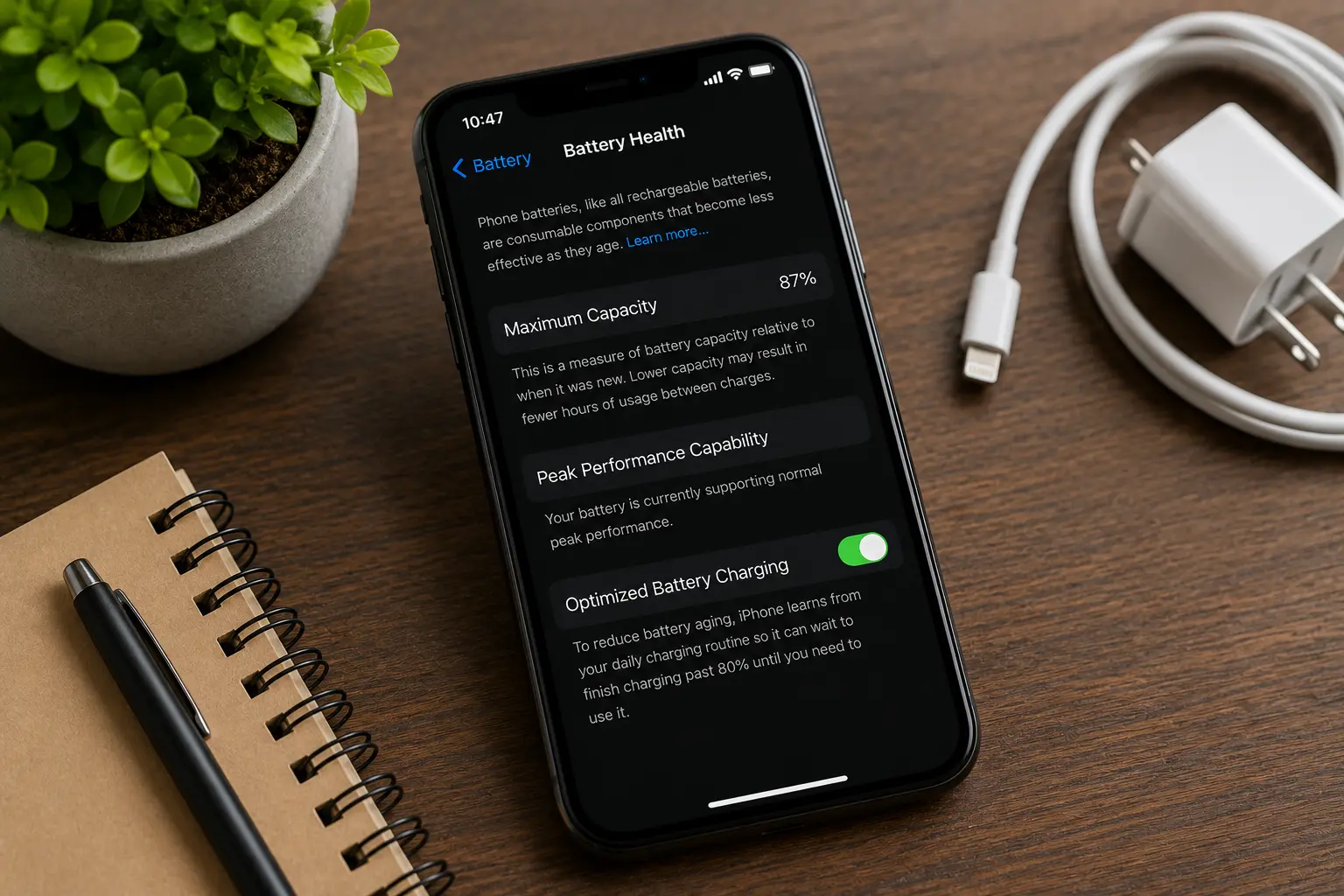
Peak Performance Capability
This section tells you whether your battery can still provide enough power during demanding tasks.
If your battery has degraded significantly, you may see messages indicating that performance management has been applied to prevent unexpected shutdowns. This is often one of the earliest signs that your battery is reaching the end of its useful life.
Everyday Signs Your Battery Is Getting Weaker
Even before checking the settings, your iPhone often gives subtle clues that the battery is wearing out.
You may notice:
- Your phone needs charging more than once a day.
- Battery percentage drops quickly after unplugging.
- The device becomes unusually warm during charging.
- Charging takes much longer than before.
- Your iPhone shuts down unexpectedly despite showing battery remaining.
- Performance feels slower while multitasking.
- Battery percentage jumps suddenly from 30% to 10%.
These symptoms don’t always mean immediate failure, but they do suggest that your battery is no longer performing at its best.
Ignoring these warning signs can place additional strain on other components, particularly the charging system and power management circuitry. Early inspection helps determine whether a simple Affordable iPhone Battery Replacement is enough to restore your phone’s performance.
Why Regular Battery Checks Matter
Many people only think about their battery once problems become impossible to ignore. By that point, reduced battery performance may already be affecting the overall user experience.
Checking battery health every few months allows you to monitor gradual changes instead of being surprised by sudden failures. It also gives you the opportunity to plan for maintenance before your device starts interrupting your work, travel, or daily routine.
Regular monitoring is especially important if your iPhone is more than two years old or has been charged every day since purchase. Since lithium-ion batteries naturally age with use, routine checks help ensure your phone continues to perform reliably for as long as possible.
Warning Signs Your iPhone Battery Needs Attention
Every smartphone battery gradually loses its ability to hold a charge. While this happens naturally over time, many users ignore the warning signs until their phone becomes unreliable. The earlier you recognize these symptoms, the easier it is to prevent further damage and restore your iPhone’s performance.
Below are some of the most common signs that indicate it may be time for an iPhone battery replacement.
Your Battery Drains Much Faster Than Before
One of the earliest signs of battery degradation is rapid battery drain. If your iPhone struggles to last through a normal workday despite moderate usage, your battery may no longer be storing enough energy.
You might notice yourself carrying a charger everywhere or constantly searching for a charging outlet. While heavy app usage can increase battery consumption, a healthy battery should still provide consistent daily performance.
Your iPhone Shuts Down Unexpectedly
Have you ever seen your iPhone turn off while it still showed 20% or even 30% battery remaining?
This usually happens because an aging battery can no longer deliver stable voltage during demanding tasks. Instead of providing continuous power, the battery suddenly drops below the level required to keep the phone running.
Unexpected shutdowns are a strong indication that your battery needs professional attention.
Charging Takes Longer Than Normal
A healthy battery charges efficiently when paired with a certified charger.
However, if charging has become noticeably slower than it used to be, battery wear may be affecting charging performance. In some cases, the battery struggles to accept power at normal speeds, increasing charging time while generating more heat.
Your Phone Gets Hot During Everyday Use
Occasional warmth while charging is normal, but excessive heat during basic activities like browsing the internet or making calls is not.
Battery degradation often increases internal resistance, causing the battery to generate more heat than it should.
If your phone consistently becomes hot during charging or regular use, it’s worth scheduling a professional inspection.
Battery Health Drops Below 80%
Apple considers batteries below 80% Maximum Capacity to be significantly worn.
Once battery health reaches this level, users often notice:
- Reduced screen-on time
- Slower performance
- Unexpected shutdowns
- More frequent charging
This is usually the ideal time to consider an Affordable iPhone Battery Replacement rather than continuing to struggle with poor battery performance.
Swollen Battery
A swollen battery is one of the most serious warning signs.
If you notice:
- The screen lifting slightly
- Gaps between the display and frame
- A bulging back panel
Stop using the phone immediately.
Swollen lithium-ion batteries should only be handled by trained technicians because they can become hazardous if punctured or damaged.
How Battery Health Affects Charging Speed and Overall Performance
Many people believe that battery health only determines how long their phone lasts on a single charge.
In reality, battery condition affects almost every aspect of your iPhone’s performance.
Slower Charging Speeds
As batteries age, their ability to receive energy efficiently declines.
Instead of charging quickly and consistently, worn batteries often charge more slowly while producing additional heat.
This is why some users notice that reaching 100% takes much longer than it did when the phone was new.
Reduced Processing Performance
Apple includes intelligent battery management to protect devices with aging batteries.
If the battery can no longer provide enough power during demanding tasks, iOS may reduce processor performance to prevent unexpected shutdowns.
This can result in:
- Slower app loading
- Reduced gaming performance
- Delayed camera response
- Less responsive multitasking
Many users mistake this for an old phone when the real issue is simply battery degradation.
Shorter Battery Life
Perhaps the most noticeable effect is reduced daily battery life.
Instead of comfortably lasting all day, the phone may require multiple charging sessions.
This affects productivity, travel, work, and overall user experience.
Increased Heat Generation
A degraded battery works harder during charging and heavy use.
As internal resistance increases, more energy is converted into heat instead of useful power.
This explains why older batteries often feel noticeably warmer than newer ones.
Can You Improve Battery Performance Without Buying a New Phone?
This is one of the most common questions technicians hear.
The honest answer is:
Once battery health declines, it cannot be restored.
Battery aging is a natural chemical process.
However, you can slow future degradation by following healthy charging habits.
Avoid Extreme Temperatures
Heat remains one of the biggest enemies of lithium-ion batteries.
Avoid leaving your phone:
- Inside parked vehicles
- Under direct sunlight
- Near heaters
- Under pillows while charging
Charging in a cool environment helps preserve battery lifespan.
Use Certified Chargers
Low-quality chargers often deliver unstable voltage.
Using certified charging accessories protects both the battery and internal charging system.
Update iOS Regularly
Apple frequently improves battery optimization through software updates.
Keeping your iPhone updated helps improve power efficiency and reduce unnecessary background activity.
Avoid Draining to 0% Frequently
Although modern batteries are smarter than older designs, regularly allowing the battery to reach 0% before charging can increase wear over time.
Charging before the battery becomes critically low helps reduce stress on lithium-ion cells.
Reduce Heavy Background Activity
Apps running continuously in the background consume additional power.
Managing background app refresh, reducing unnecessary notifications, and limiting location services can slightly reduce battery strain.
While these habits won’t increase battery health, they can slow further deterioration.
Why Professional Battery Testing Is More Accurate Than Guesswork
Checking battery health in Settings is useful, but it doesn’t always tell the complete story.
Professional technicians use specialized diagnostic equipment to measure factors that aren’t visible through iOS.
These include:
- Battery voltage stability
- Charging efficiency
- Internal resistance
- Charging cycle count
- Temperature behaviour
- Overall battery performance under load
Professional testing also helps identify whether the battery is actually causing the problem or if another componentsuch as the charging circuit or power management system—is responsible.
This prevents unnecessary part replacements and ensures the correct repair is performed.
At Blackapple Cellular, every Battery Replacement Service begins with detailed diagnostics to determine the true condition of your device. This approach helps customers avoid unnecessary costs while ensuring long-term reliability.
Conclusion
Your iPhone’s battery quietly powers every part of your daily routine, but like all rechargeable batteries, it won’t last forever. Understanding iPhone battery health allows you to spot problems early instead of waiting until your phone starts shutting down, overheating, or struggling to keep a charge.
Regular battery checks, healthy charging habits, and timely maintenance can significantly extend the life of your device. While good charging practices help slow battery wear, they can’t reverse the natural aging process. When your battery begins affecting performance, replacing it is often the most practical and cost-effective solution.
At Blackapple Cellular, we combine advanced diagnostics with high-quality replacement components to ensure every phone battery replacement is completed safely and accurately. Whether your battery drains too quickly, charges slowly, or no longer performs like it should, our experienced technicians can help restore your iPhone’s reliability and everyday performance.
People Also Ask
How much does iPhone battery replacement cost in Victoria, BC?
Most iPhone battery replacements at Blackapple Cellular cost $49–$119 CAD, depending on your specific model.
At what battery health percentage should I replace my iPhone battery?
You should replace your battery when Maximum Capacity drops below 80% or if your device shuts down unexpectedly.
Will a new battery make my iPhone run faster?
Yes, a new battery restores full processing speed if iOS was previously throttling performance to prevent power crashes.
Will I lose my photos or personal data during a battery replacement?
No, replacing the battery is a safe hardware repair that leaves all your data, photos, and apps completely untouched.
How long does an iPhone battery replacement take at Blackapple Cellular?
Most battery replacements at our Victoria and Langford locations are completed in 30 to 60 minutes.
Frequently Asked Questions
How often should I check my iPhone battery health?
Checking every three to six months is usually sufficient. If your phone is more than two years old, more frequent checks can help identify early signs of battery wear.
At what battery health percentage should I replace my battery?
Apple generally recommends considering replacement once Maximum Capacity falls below 80%, especially if performance problems become noticeable.
Can software updates improve battery health?
Software updates cannot restore lost battery capacity. However, they often improve battery optimization and power management.
Is it safe to continue using a battery below 80% health?
Yes, but you may experience shorter battery life, slower performance, and unexpected shutdowns. Replacing the battery usually restores a much better user experience.
Will replacing my battery make my iPhone faster?
If your phone has reduced performance due to battery management, replacing the battery can significantly improve speed and responsiveness.
How long does an iPhone battery replacement take?
Most battery replacements can be completed within a short period, depending on the device model and diagnostic results.