

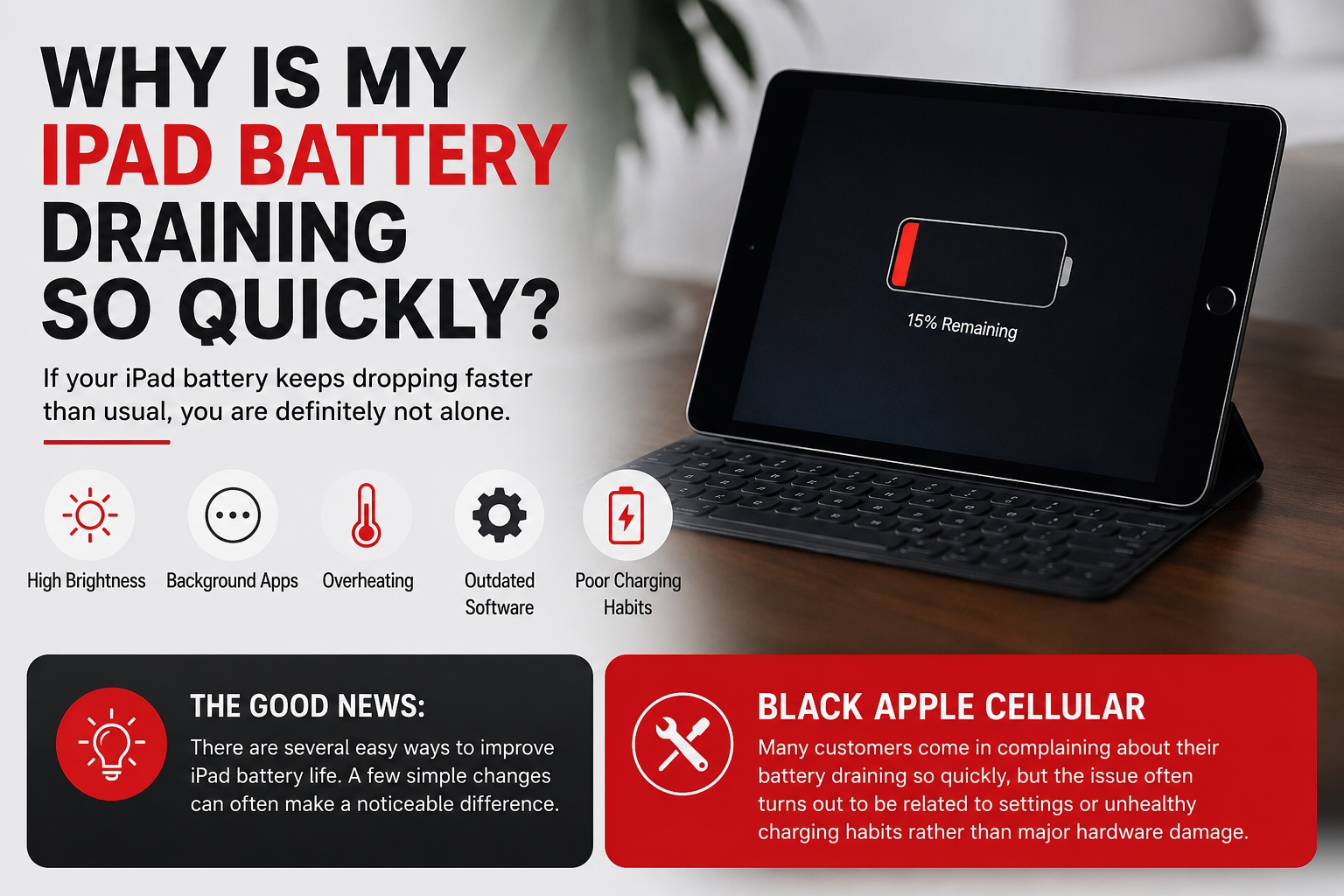
If your iPad battery keeps dropping faster than usual, you are definitely not alone. One of the most common complaints users have today is their iPad battery draining so quickly even when they are not using heavy apps. You charge the device fully, use it for a few hours, and suddenly the battery percentage is already low again.
Whether you use your iPad for streaming, gaming, online classes, office work, editing, or browsing social media, poor battery backup can become frustrating very quickly. The good thing is that fast battery drain does not always mean your battery is completely damaged. In many cases, small things like high brightness, background apps, overheating, outdated software, and poor charging habits slowly affect overall battery performance.
Even newer iPads can experience the problem of the battery draining so quickly if too many settings and apps are constantly running in the background. Sometimes users do not even realize which features are consuming the most battery throughout the day.
The good news is that there are several easy ways to improve iPad battery life without immediately replacing the device. A few simple changes can often make a noticeable difference.
At Black Apple Cellular, many customers come in complaining about their battery draining so quickly, but the issue often turns out to be related to settings or unhealthy charging habits rather than major hardware damage.
How Do I Stop My iPad Battery From Draining So Fast?
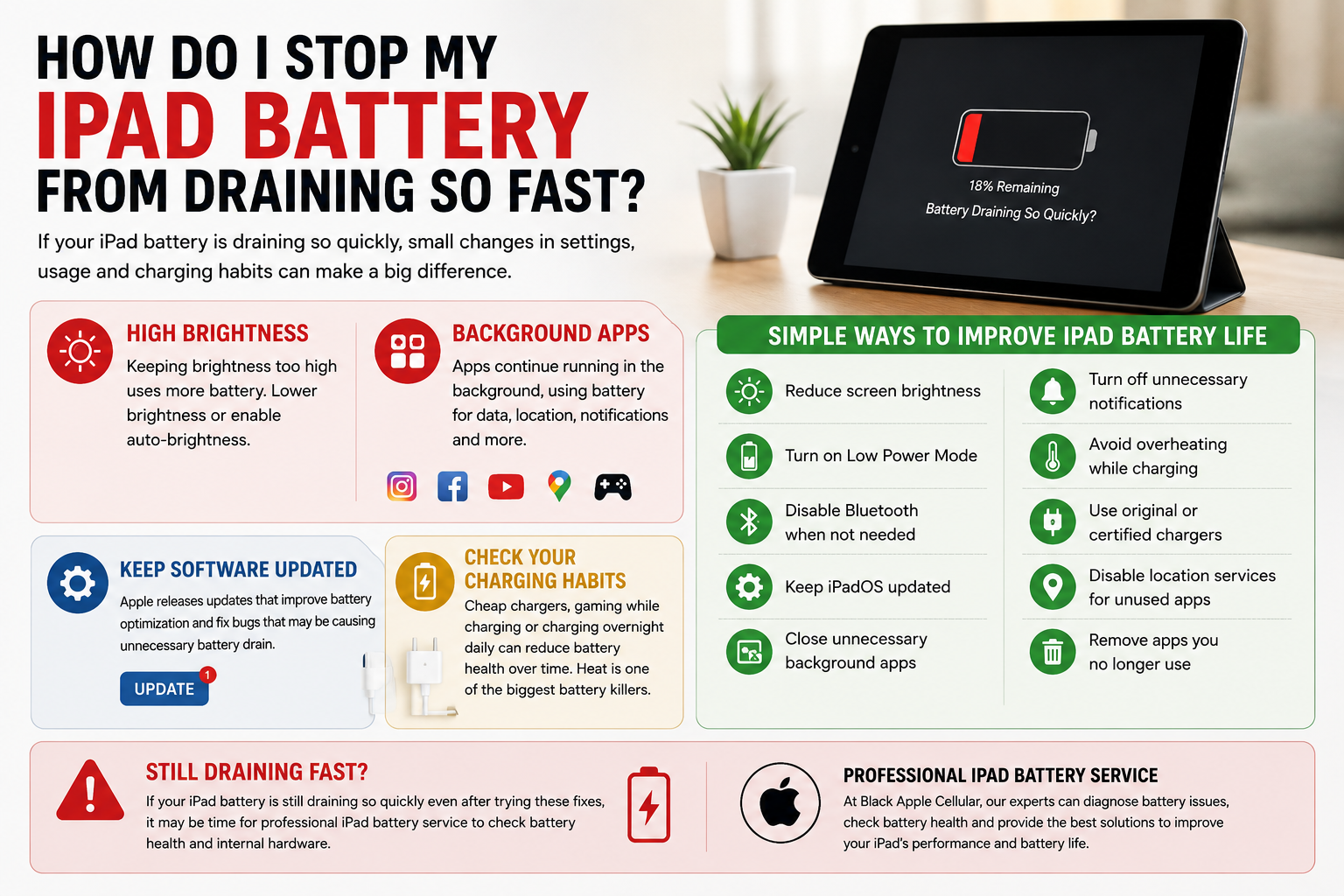
One of the biggest reasons behind the iPad battery draining so quickly is screen brightness. Most people keep brightness too high throughout the day without realizing how much battery the display actually consumes. Watching videos, gaming, or scrolling social media at full brightness can drain battery surprisingly fast. Lowering brightness slightly or enabling auto-brightness can instantly improve battery backup.
Background apps are another major reason behind fast battery drain. Even when you are not actively using certain apps, they may still refresh data, track your location, send notifications, or continue running processes in the background. Apps like Instagram, Facebook, YouTube, navigation apps, and games are usually among the biggest battery consumers.
Simple Ways to Improve iPad Battery Life
- Reduce screen brightness
- Turn on Low Power Mode
- Disable Bluetooth when not needed
- Keep iPadOS updated
- Close unnecessary background apps
- Turn off unnecessary notifications
- Avoid overheating while charging
- Use original or certified chargers
- Disable location services for unused apps
- Remove apps you no longer use
Software updates also matter more than most people think. Apple regularly releases updates that improve battery optimization and fix bugs responsible for unnecessary battery drain. Running outdated software can sometimes affect battery performance without users realizing it.
Charging habits are equally important. Using cheap chargers, gaming while charging, or keeping the iPad plugged in overnight every single day may slowly reduce battery health over time. Heat is one of the biggest enemies of lithium-ion batteries, which is why overheating should never be ignored.
If your iPad continues showing signs of the battery draining so quickly even after trying these fixes, it may be time for professional iPad battery service to check battery health and internal hardware.
What Is the 30 90 Rule for Battery?
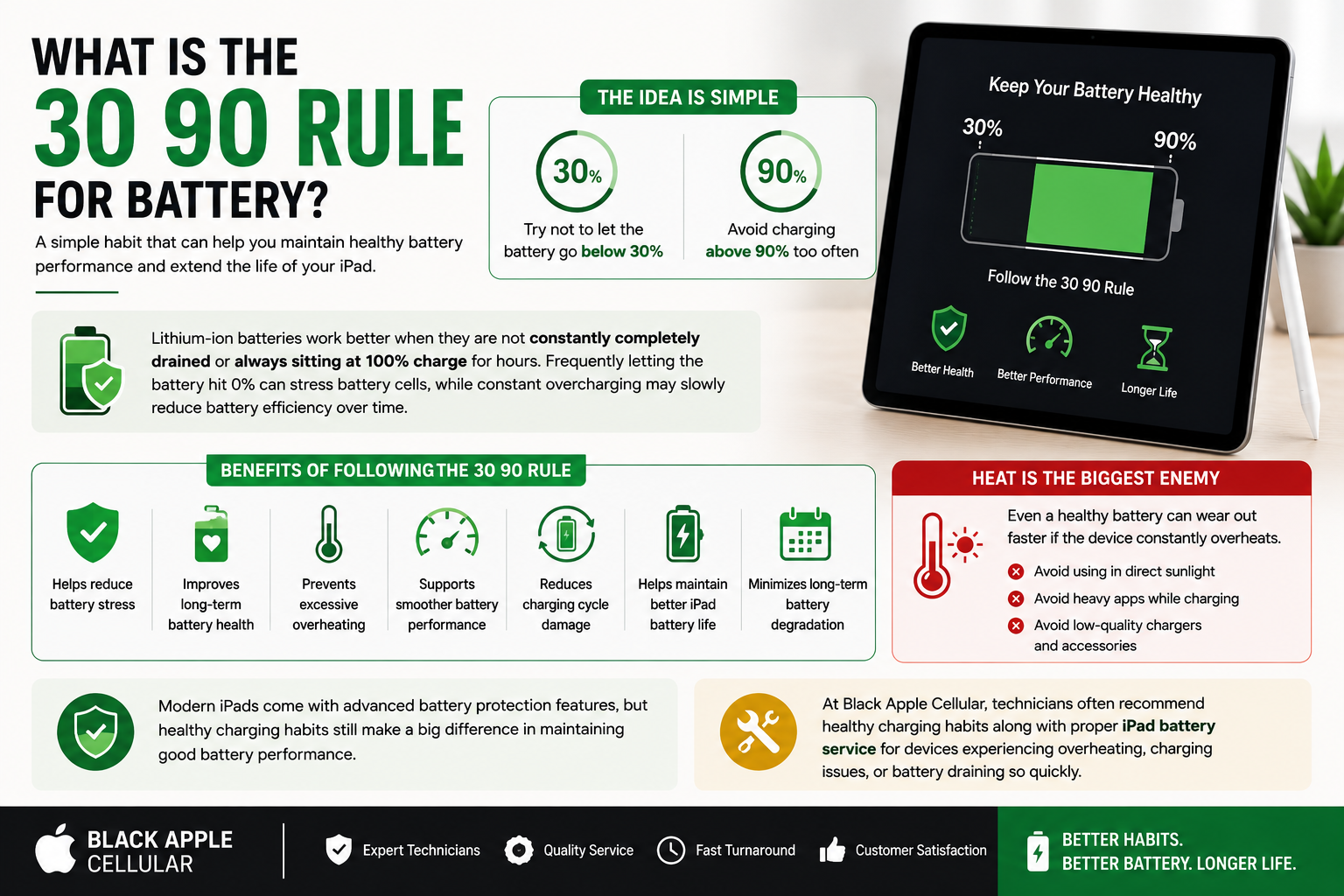
You may have heard people talk about the “30 90 rule” for batteries. It’s a simple habit many technicians recommend to help maintain healthy battery performance for a longer time.
The idea is simple:
- Try not to let the battery go below 30%
- Avoid charging above 90% too often
Lithium-ion batteries work better when they are not constantly completely drained or always sitting at 100% charge for hours. Frequently letting the battery hit 0% can stress battery cells, while constant overcharging may slowly reduce battery efficiency over time.
Benefits of Following the 30 90 Rule
- Helps reduce battery stress
- Improves long-term battery health
- Prevents excessive overheating
- Supports smoother battery performance
- Reduces charging cycle damage
- Helps maintain better iPad battery life
- Minimizes long-term battery degradation
Of course, modern iPads are smarter than older devices and already include battery protection features. But healthy charging habits still help a lot in maintaining good battery performance.
One thing people often ignore is heat. Even a healthy battery can wear out faster if the device constantly overheats. Leaving your iPad in direct sunlight, using heavy apps while charging, or charging with low-quality accessories can increase internal temperature and slowly damage the battery.
At Black Apple Cellular, technicians often recommend healthy charging habits along with proper iPad battery service for devices experiencing overheating, charging issues, or the problem of the battery draining so quickly.
How Do I Find Out What’s Draining My iPad Battery?
Apple actually gives users a built-in feature that shows which apps are consuming the most battery. Most people never check it, but it can quickly help identify what’s causing the battery draining so quickly.
Here’s how you can check it:
- Open Settings
- Tap Battery
- Scroll down to Battery Usage by App
You’ll see detailed information about which apps are using the most power throughout the day. Sometimes you may notice an app consuming battery heavily even when you barely use it.
Apps That Commonly Drain Battery Faster
- Video streaming apps
- Gaming applications
- GPS and navigation apps
- Video calling platforms
- Social media apps
- Music streaming apps
Background activity is another thing worth checking. Some apps constantly refresh content, track location, or send notifications even when closed. Turning off unnecessary Background App Refresh settings can improve battery life noticeably.
If your iPad battery drains quickly even while idle, the problem may not be software-related at all. Older batteries naturally lose their ability to hold charge after years of use. Sometimes charging port issues or internal hardware damage can also affect battery performance.
In these situations, professional iPad battery service can help identify the exact issue before it becomes worse.
What Kills the Phone Battery the Most?
A lot of everyday habits slowly damage batteries without people even realizing it. One of the biggest reasons behind battery damage is excessive heat. Heat affects both smartphones and iPads and can reduce battery lifespan much faster than normal usage.
Gaming for long hours, leaving devices inside hot cars, or using heavy apps while charging all increase internal temperature. Over time, this heat weakens battery cells and reduces battery backup.
Cheap chargers are another common issue. Low-quality charging cables and adapters often provide unstable voltage, which may affect charging performance and battery health.
Habits That Damage Battery Health
- Charging overnight every day
- Using fake or low-quality chargers
- Keeping brightness at maximum constantly
- Heavy gaming while charging
- Exposing devices to direct sunlight
- Running too many apps together
- Ignoring overheating warnings
- Letting the battery drain completely frequently
- Using damaged charging cables
Another mistake many people make is ignoring early warning signs. If your iPad starts overheating, charging slowly, shutting down randomly, or losing battery unusually fast, it should not be ignored. Small battery issues can eventually turn into bigger hardware problems if left untreated.
Professional iPad battery service can help diagnose these issues early and improve overall device performance before major repairs become necessary.
Conclusion
If your iPad battery keeps draining faster than normal, you are not alone. The issue of the battery draining so quickly is extremely common and is usually caused by things like background apps, overheating, high brightness, outdated software, or unhealthy charging habits.
The good news is that simple changes like reducing brightness, updating software, turning off unnecessary background activity, and following healthier charging practices can greatly improve overall iPad battery life.
However, if the problem continues and your device overheats, shuts down unexpectedly, or loses battery unusually fast, professional iPad battery service may be necessary. Fixing battery problems early can help prevent larger hardware issues later.
At Black Apple Cellular, expert diagnostics and repair solutions help restore battery performance and improve the overall health of your iPad.
The good news is you don’t need a new device. A battery replacement can quickly restore your iPad battery life and improve performance.
Choosing a reliable repair service can help restore your device’s iPad battery life and overall performance effectively
FAQs
Why is my iPad battery draining so quickly even when not in use?
Background apps, outdated software, location services, overheating, and battery aging are some of the most common reasons behind the issue of the battery draining so quickly while the iPad is idle.
How can I improve my iPad battery life quickly?
You can improve iPad battery life by lowering brightness, enabling Low Power Mode, disabling unnecessary background apps, and keeping your software updated.
Is overnight charging bad for iPad batteries?
Occasional overnight charging is usually safe but doing it regularly along with overheating may slowly affect long-term battery health.
When should I get professional iPad battery service?
You should consider professional iPad battery service if your iPad overheats, charges slowly, shuts down randomly, or keeps showing signs of the battery draining so quickly even after trying basic fixes.
Does heat affect iPad battery life?
Yes. Excessive heat is one of the biggest causes of battery degradation and can reduce battery lifespan significantly over time.