

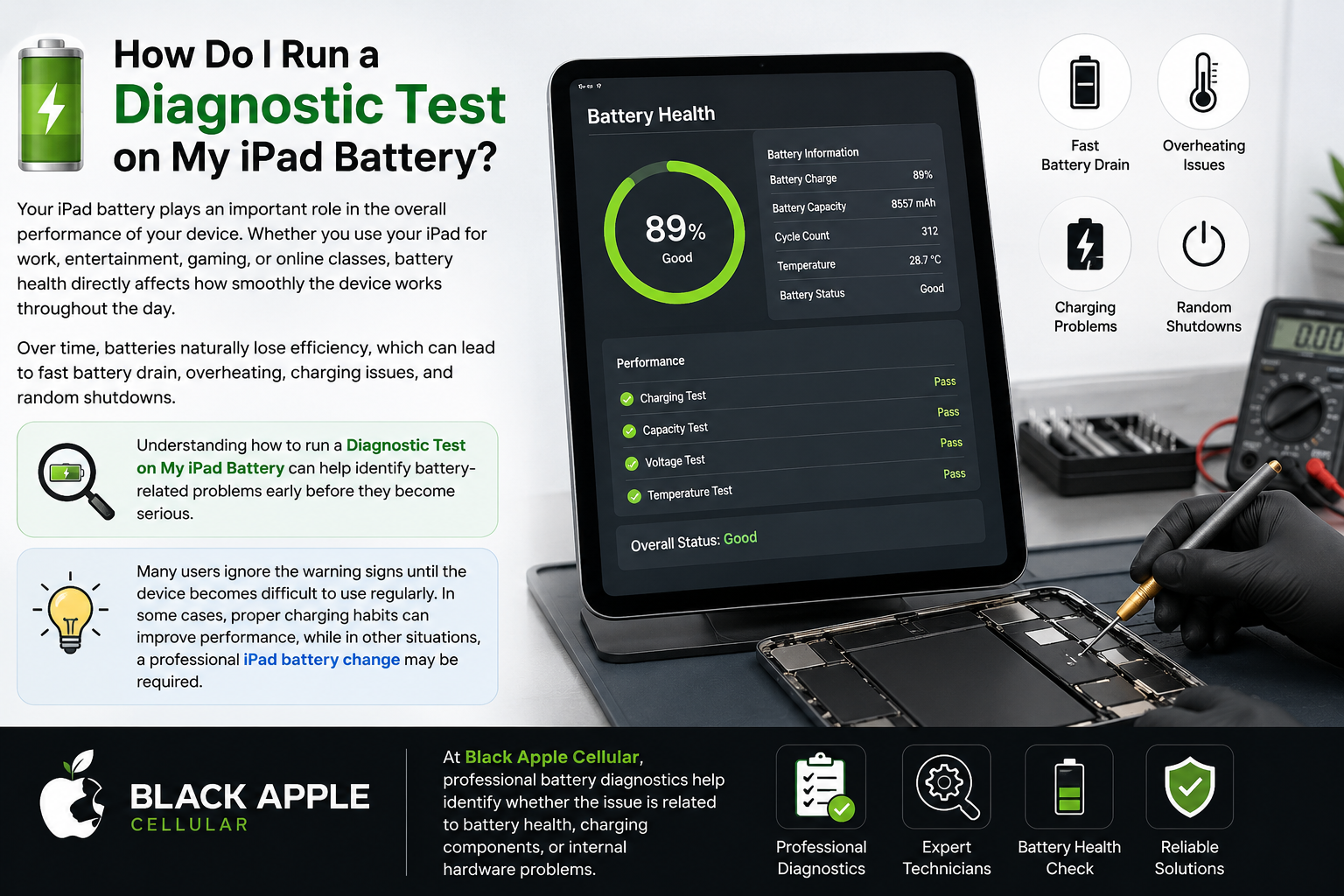
Your iPad battery plays an important role in the overall performance of your device. Whether you use your iPad for work, entertainment, gaming, or online classes, battery health directly affects how smoothly the device works throughout the day. Over time, batteries naturally lose efficiency, which can lead to fast battery drain, overheating, charging issues, and random shutdowns.
Understanding how to run a Diagnostic Test on My iPad Battery can help identify battery-related problems early before they become serious. Many users ignore the warning signs until the device becomes difficult to use regularly. In some cases, proper charging habits can improve performance, while in other situations, a professional iPad battery change may be required.
At Black Apple Cellular, professional battery diagnostics help identify whether the issue is related to battery health, charging components, or internal hardware problems.
How can I tell if my iPad battery is no good?
One of the biggest reasons people search for a Diagnostic Test on My iPad Battery is because their device starts showing signs of weak battery performance. A damaged or aging battery usually gives clear warning signals before completely failing.
The most common symptom is fast battery drain. If your iPad loses charge much faster than before even during light usage, battery health may already be declining. Another common issue is overheating while charging or using the device. Excessive heat often indicates internal battery stress or charging problems.
Some users also experience random shutdowns even when battery percentage is still left. Slow charging, sudden battery percentage drops, and reduced screen-on time are also signs of declining battery health. In severe cases, the battery may swell slightly and lift the display.
Understanding proper Trusted Mobile & Tablet Repair in Victoria, Langford & Campbell River | Blackapple Cellular helps identify these issues early. If multiple symptoms appear together regularly, a professional iPad battery change may be necessary to restore proper performance.
How do you test a battery on an iPad?
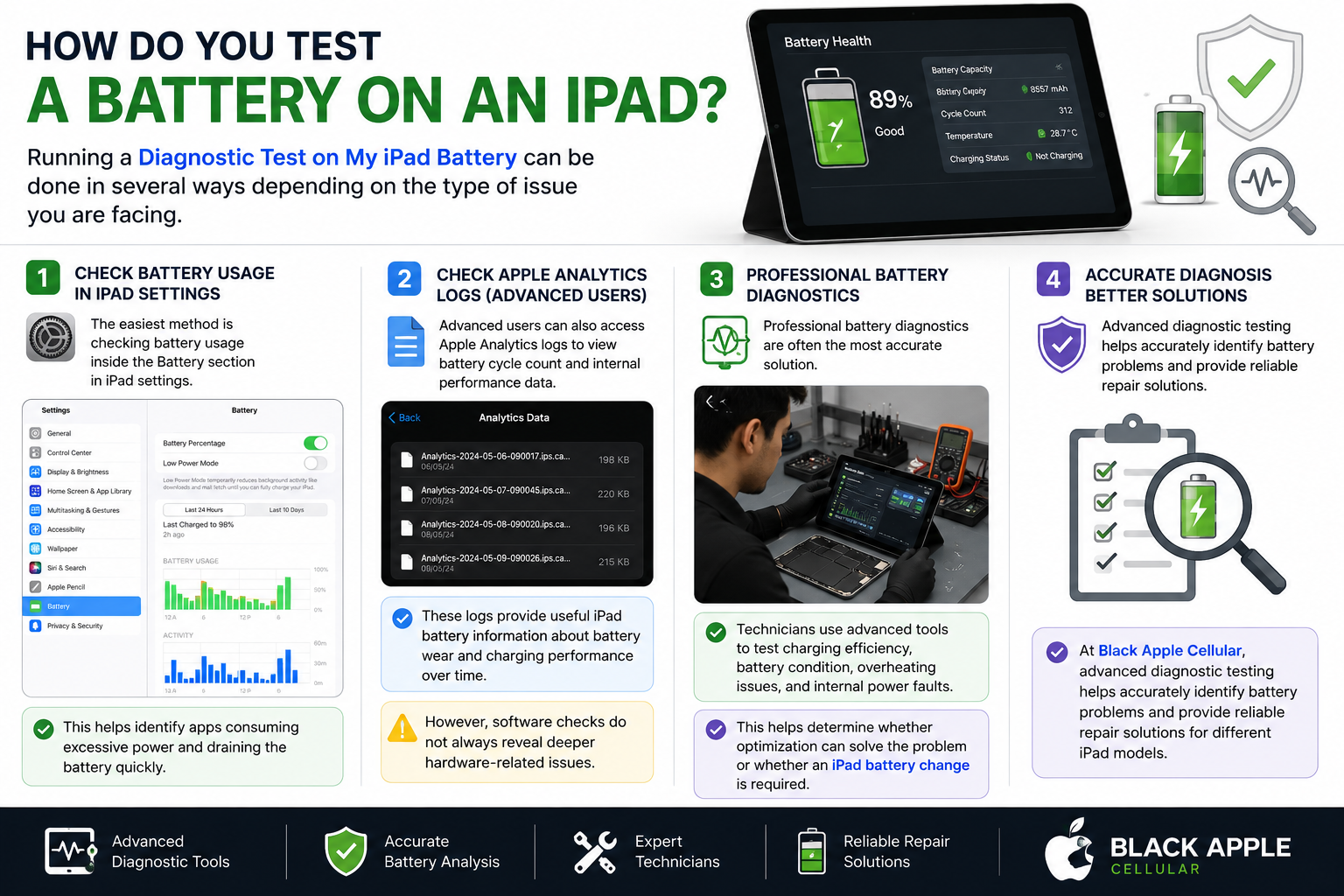
Running a Diagnostic Test on My iPad Battery can be done in several ways depending on the type of issue you are facing. The easiest method is checking battery usage inside the Battery section in iPad settings. This helps identify apps consuming excessive power and draining the battery quickly.
Advanced users can also access Apple Analytics logs to view battery cycle count and internal performance data. These logs provide useful iPad battery information about battery wear and charging performance over time. However, software checks do not always reveal deeper hardware-related issues.
Professional battery diagnostics are often the most accurate solution. Technicians use advanced tools to test charging efficiency, battery condition, overheating issues, and internal power faults. This helps determine whether optimization can solve the problem or whether an iPad battery change is required.
At Black Apple Cellular, advanced diagnostic testing helps accurately identify battery problems and provide reliable repair solutions for different iPad models.
What kills the phone battery the most
Many daily habits silently reduce battery lifespan without users realizing it. Excessive heat is one of the biggest reasons batteries degrade faster. Playing games, editing videos, or using heavy applications while charging generates heat that weakens lithium-ion battery cells over time.
Another major factor is constant overcharging. Keeping your device plugged in overnight every day places continuous stress on the battery. Cheap chargers and low-quality charging cables can also negatively affect battery health because they often deliver unstable power.
Frequent full battery drain cycles are another common issue. Allowing the battery to regularly reach 0% before charging shortens long-term battery lifespan. Understanding proper iPad battery information helps users avoid these habits and maintain better battery performance. In severe cases, long-term battery damage may eventually require an iPad battery change.
What are the three mistake when charging the phone
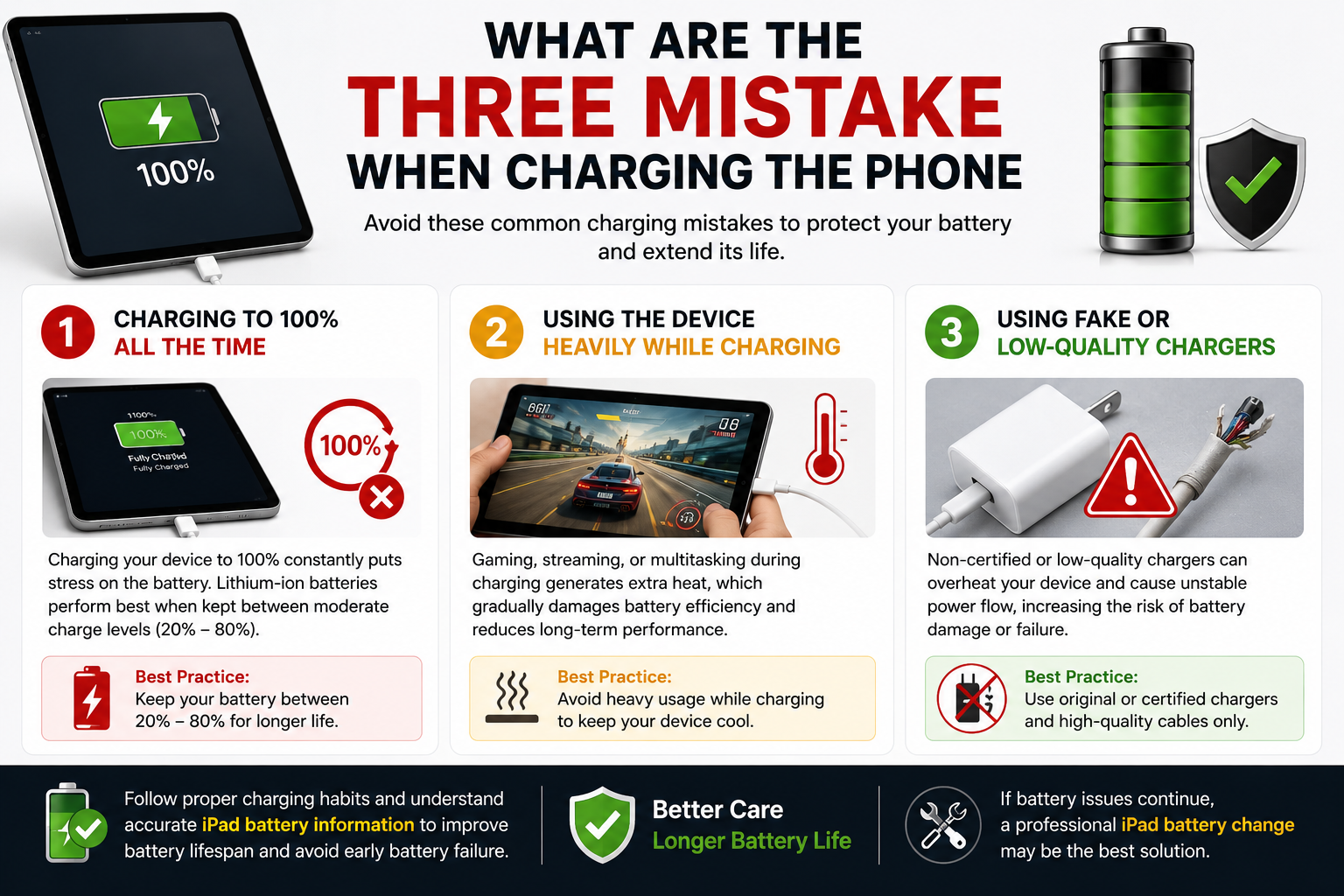
One common mistake is charging the device to 100% all the time. Lithium-ion batteries usually perform better when maintained between moderate charge levels instead of remaining fully charged continuously for long periods.
The second mistake is using the device heavily while charging. Gaming, streaming videos, or multitasking during charging generates additional heat, which gradually damages battery efficiency and long-term performance.
The third mistake is using fake or low-quality chargers. Non-certified accessories can overheat the device and create unstable charging conditions, increasing the chances of battery damage over time.
Following proper charging habits and understanding accurate iPad battery information can improve battery lifespan significantly and reduce the need for an early iPad battery change.
Final Thoughts
Running a Diagnostic Test on My iPad Battery is one of the best ways to identify battery-related issues before they become serious. Fast battery drain, overheating, slow charging, and random shutdowns are common warning signs that should never be ignored.
Understanding accurate iPad battery information and following healthy charging habits can help improve battery lifespan and overall device performance. However, if the battery continues causing problems, a professional iPad battery change may be the best solution for restoring reliable performance.
Black Apple Cellular offers trusted diagnostic testing and expert iPad battery change services to help keep your iPad running smoothly and efficiently. You can also explore a detailed guide on battery health and performance on Understanding Smartphone Battery Health and Power to get a clearer idea of how batteries degrade over time.
FAQs
How do I run a Diagnostic Test on My iPad Battery?
You can run a basic Diagnostic Test on My iPad Battery through the Battery section in Settings or use professional diagnostic tools for deeper battery analysis.
What are the signs that I need an iPad battery change?
Fast battery drain, overheating, slow charging, sudden shutdowns, and poor battery backup are common signs that an iPad battery change may be required.
Can overheating damage my iPad battery?
Yes, excessive heat is one of the biggest reasons lithium-ion batteries lose health quickly and may eventually require replacement.
How long does an iPad battery usually last?
Most iPad batteries last around 2 to 5 years depending on charging habits, usage patterns, and battery care.
Does overnight charging damage battery health?
Frequent overnight charging can slowly affect battery lifespan because it keeps the battery under continuous charging stress.
Can fake chargers affect battery performance?
Yes, low-quality chargers can cause overheating, unstable charging, and long-term battery damage.
Where can I get professional battery diagnostics?
Black Apple Cellular provides professional services for Diagnostic Test on My iPad Battery, battery repair, and reliable iPad battery change solutions.