

Quick Summary
Your smartphone camera lens is exposed to everyday risks such as scratches, dust, moisture, accidental drops, and rough handling, all of which can gradually reduce photo and video quality. While modern smartphones have advanced camera systems, their raised camera lenses are more vulnerable to everyday damage than ever before. By following a few simple maintenance habits, using proper protection, and addressing minor damage early, you can keep your camera performing at its best and avoid costly repairs. If your camera continues producing blurry photos, struggles to focus, or shows signs of lens damage, seeking Phone camera repair in Langford can help restore your smartphone’s camera and prevent more expensive repairs in the future.
In This Blog, You’ll Learn:
- Why smartphone camera lenses are more vulnerable to damage than ever before.
- The everyday habits that quietly reduce camera performance and image quality.
- How to protect your camera lens from scratches, dust, moisture, and accidental damage.
- Whether camera lens protectors are worth using for long-term protection.
- The warning signs that indicate it’s time for Phone camera repair in Langford.
- How professional camera lens repair can restore sharp photo and video quality while extending the life of your smartphone.
Introduction
Smartphone cameras have evolved into incredibly advanced photography systems, allowing users to capture stunning images, record high-quality videos, and preserve important memories with just a tap. Whether you’re taking vacation photos, scanning business documents, attending virtual meetings, or creating social media content, your camera plays an important role in everyday life. However, while most people invest in protective cases and screen protectors, the camera lens itself is often left exposed.
Modern smartphones feature larger and more advanced camera modules than ever before. These raised camera designs produce exceptional image quality but also make the camera lens more vulnerable to everyday damage. Simply placing your phone on a rough table, carrying it alongside keys or coins, or accidentally dropping it can result in scratches, cracked camera glass, or even internal camera damage. These problems may seem minor initially, but they can significantly reduce photo quality over time.
Many users don’t notice camera lens damage until they begin seeing blurry photos, unusual glare, poor night photography, or autofocus problems. By then, dirt, moisture, and dust may already have entered through damaged camera glass, increasing the likelihood of more expensive repairs.
Fortunately, protecting your smartphone camera doesn’t require expensive accessories or complicated maintenance routines. A few simple habits, combined with proper care and early attention to warning signs, can help preserve your camera’s performance for years.
At Blackapple Cellular, we regularly assist customers who require Phone camera repair in Langford after accidental damage to their camera lens. Many of these repairs could have been prevented with simple protective measures and timely maintenance.
In this guide, we’ll explore why camera lens protection matters, which everyday habits quietly damage your camera, and how to keep your smartphone capturing sharp, high-quality images every day.
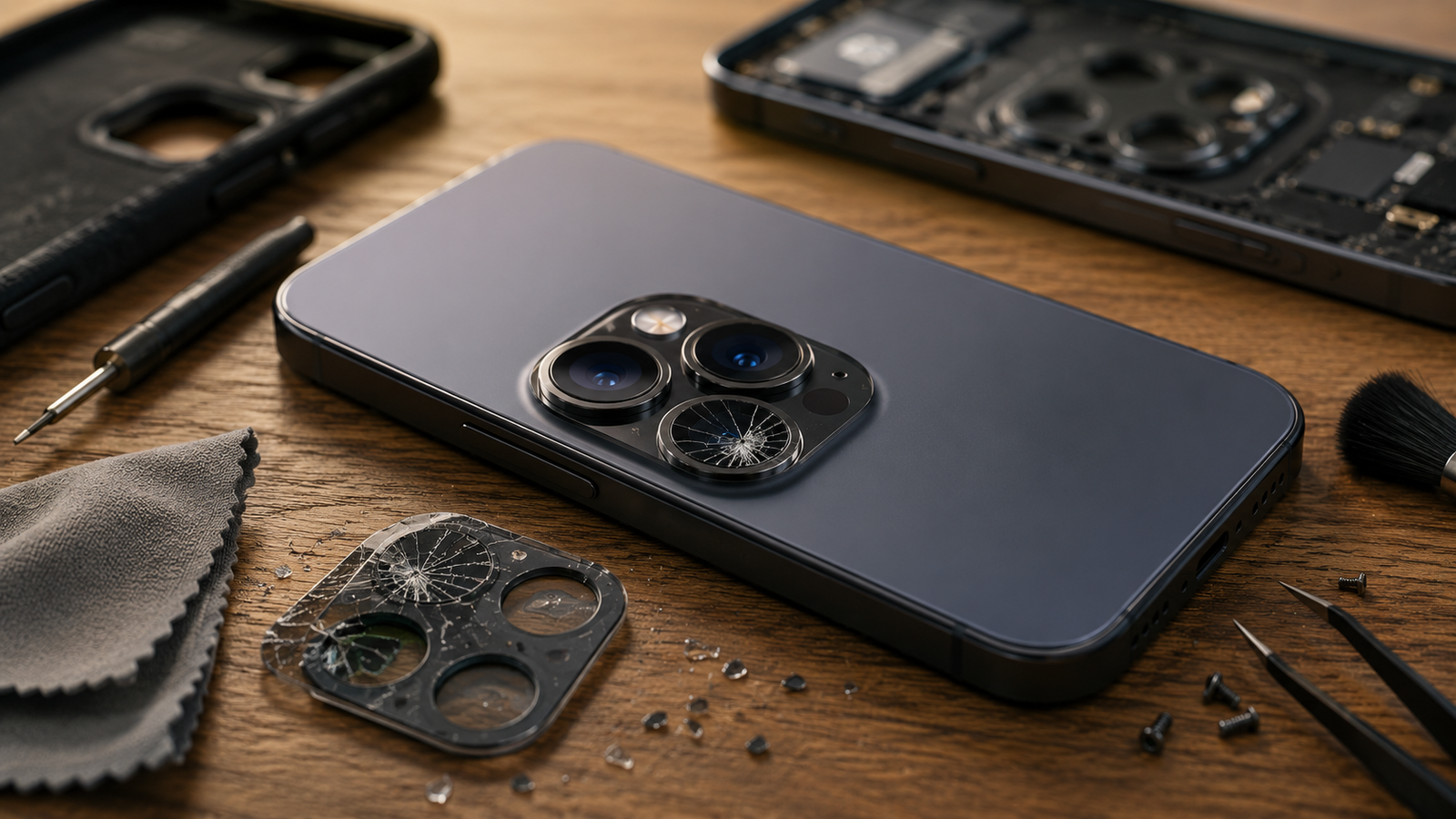
Why Camera Lens Protection Is More Important Than Ever
Smartphone cameras have become increasingly sophisticated over the last few years. Manufacturers continue adding larger sensors, advanced zoom capabilities, optical image stabilisation, and artificial intelligence features to improve photography. While these innovations produce impressive results, they also make camera modules more delicate than ever before.
Unlike older smartphones where the camera sat almost flush with the back of the device, modern camera systems often extend several millimetres beyond the phone’s surface. This raised design improves image quality but leaves the protective camera glass exposed whenever the phone is placed on a table or other hard surface.
Everyday use gradually exposes the camera lens to:
- Dust particles
- Fine sand
- Metal objects
- Rough surfaces
- Pocket debris
- Minor impacts
Although the protective glass covering the lens is made from durable materials, continuous friction eventually causes microscopic scratches to develop. These tiny scratches may not be visible immediately, but they can scatter incoming light and reduce image clarity over time.
Protecting your camera lens is important because it directly affects every photograph and video you capture. Unlike a scratched phone case, damaged camera glass changes the quality of your memories, business photos, and everyday content.
In addition to physical damage, protecting the camera lens also helps prevent internal problems. Cracked lens glass allows moisture, dust, and dirt to enter the camera housing, where they may damage sensitive sensors and autofocus mechanisms.
By taking preventive measures today, smartphone users can avoid expensive repairs while preserving the excellent image quality their device was designed to deliver.
Everyday Habits That Damage Smartphone Camera Lenses
Many people believe camera lens damage only occurs after dropping their phone. In reality, some of the biggest causes of camera damage come from small daily habits that gradually affect the lens over time.
Recognizing these habits early can help you prevent unnecessary wear and extend the life of your smartphone camera.
Keeping Your Phone in the Same Pocket as Keys and Coins
This is one of the most common causes of camera lens scratches.
Metal objects constantly rub against the raised camera module while you walk, sit, or move throughout the day. Even tiny scratches can reduce image sharpness and increase glare when taking photos in bright lighting.
Using a dedicated pocket for your smartphone significantly reduces this type of damage.
Placing Your Phone Camera-Down on Hard Surfaces
Many users place their phones directly onto tables, countertops, or desks without considering the camera module.
Each time the phone slides slightly across the surface, the protective camera glass experiences friction.
Over months of daily use, this repeated contact gradually creates tiny scratches that affect image quality.
Using a protective case with raised camera edges helps reduce direct contact between the camera lens and hard surfaces.
Cleaning the Lens with Rough Materials
When photos become blurry, many people quickly wipe the camera using tissues, paper towels, clothing, or even their fingertips.
Unfortunately, rough materials may contain tiny particles that create additional scratches while cleaning.
Instead, use a clean microfiber cloth designed specifically for optical surfaces.
Gentle circular movements remove fingerprints and dust without damaging the protective glass.
Ignoring Small Camera Glass Cracks
Small cracks are often dismissed because the camera still appears to function normally.
However, cracked camera glass creates an opening through which dust, dirt, and moisture can enter the camera assembly.
Once contamination reaches the internal camera module, repairs become significantly more complicated.
Addressing small cracks early usually prevents much larger repair costs later.
Using Your Phone in Dusty or Sandy Environments
Construction sites, beaches, hiking trails, and outdoor sporting events expose smartphones to large amounts of airborne dust and fine sand.
These tiny particles easily collect around the camera module and may scratch the lens if rubbed across the surface during cleaning.
Whenever possible, gently remove loose dust before wiping the lens.
Dropping the Phone Even from Low Heights
Not every camera problem results from dramatic falls.
Even small drops from a pocket, chair, or table may create enough force to crack camera glass or affect internal camera alignment.
Although the phone may continue functioning normally, image quality can gradually decline if hidden camera damage goes unnoticed.
Using Low-Quality Protective Cases
Some inexpensive phone cases protect the back of the phone but provide very little protection around the raised camera module.
Choosing a case with raised camera bezels creates additional clearance between the camera lens and flat surfaces, helping reduce everyday wear.
At Blackapple Cellular, we often see customers seeking Phone camera repair Campbell after accidental impacts that could have been prevented with better camera protection.
Best Ways to Keep Your Camera Crystal Clear
Keeping your smartphone camera in excellent condition doesn’t require expensive accessories or professional maintenance every few weeks. In fact, a few simple habits can significantly improve image quality and reduce the likelihood of scratches, cracks, or internal camera damage. Since your smartphone camera is exposed every day, regular care helps preserve both its appearance and its performance.

Clean the Camera Lens Regularly
One of the easiest ways to improve photo quality is by cleaning the camera lens before taking pictures.
Fingerprints, dust, skin oils, and pocket lint build up surprisingly quickly on the protective camera glass. Even a thin layer of smudges can reduce sharpness, create unwanted glare, and make photos appear foggy.
Use a clean microfiber cloth to gently wipe the lens before important photos or videos. Avoid tissues, paper towels, or clothing, as these materials may contain tiny fibres that can scratch the protective glass over time.
Use a High-Quality Protective Case
A good protective case does much more than protect the corners of your phone.
Choose a case with raised edges around the camera module. This design keeps the lens from touching flat surfaces whenever the phone is placed on a desk, table, or countertop.
The additional clearance significantly reduces everyday wear and helps prevent small scratches from developing.
Store Your Phone Carefully
Many people place their phones in pockets or bags together with keys, coins, pens, or other metal objects.
These items repeatedly rub against the raised camera module and gradually damage the protective lens glass.
Whenever possible:
- Keep your phone in a separate pocket.
- Use a dedicated compartment inside your bag.
- Avoid placing heavy objects on top of your phone.
These simple habits greatly reduce accidental camera damage.
Protect Your Phone During Outdoor Activities
Outdoor environments expose smartphones to additional risks.
Sand, fine dust, dirt, and small stones can easily scratch camera glass when rubbed across the lens.
If you’re visiting the beach, hiking, cycling, or working outdoors, keep your phone inside a protective pouch whenever it’s not being used.
Inspect the Camera Lens Regularly
Take a few moments every few weeks to inspect your camera.
Look for:
- Small scratches
- Tiny cracks
- Dust around the lens
- Moisture inside the camera
- Loose camera glass
Identifying problems early often prevents more expensive repairs later.
Do Camera Lens Protectors Actually Work?
Camera lens protectors have become increasingly popular as smartphone cameras have grown larger and more expensive to repair. Many users wonder whether these accessories genuinely protect the camera or simply add another layer of glass without much benefit.
The answer depends largely on the quality of the protector and how it is used.
Protection Against Everyday Scratches
A good-quality camera lens protector acts as a sacrificial layer.
Instead of the original camera glass rubbing directly against rough surfaces, the protector absorbs minor scratches caused by:
- Keys
- Coins
- Tables
- Countertops
- Pocket debris
Replacing a damaged protector is far less expensive than replacing the original camera glass.
Additional Impact Protection
Although camera protectors cannot prevent every type of damage, they may reduce the severity of minor impacts.
Small drops that might otherwise crack the camera glass are sometimes absorbed by the protector instead.
However, they should never be considered a replacement for a protective case.
Choosing the Right Lens Protector
Not all lens protectors provide the same level of protection.
Look for products that offer:
- High optical clarity
- Scratch-resistant coating
- Strong adhesive
- Precise fit
- Minimal effect on image quality
Poor-quality protectors may introduce glare or slightly reduce photo sharpness.
Regular Inspection Still Matters
Even if you use a lens protector, inspect it regularly.
If it becomes cracked or heavily scratched, replace it promptly to maintain both protection and image quality.
Signs Your Camera Lens Needs Professional Replacement
Some camera issues can be resolved through cleaning or replacing a damaged lens protector. Others indicate that the protective camera glass or internal camera module requires professional attention.
Ignoring these warning signs may allow additional damage to develop over time.
Persistent Blurry Photos
If your photos remain blurry after cleaning the lens thoroughly, the problem may involve:
- Scratched camera glass
- Internal lens damage
- Autofocus malfunction
- Camera module failure
Professional diagnostics determine the exact cause.
Visible Cracks Around the Camera
Cracked camera glass should never be ignored.
Even small cracks allow:
- Dust
- Dirt
- Moisture
to enter the camera assembly, increasing the risk of permanent internal damage.
Replacing damaged camera glass early is usually much more affordable than replacing the complete camera module later.
Light Flares and Glare
If bright lights create unusual streaks or excessive glare in your photos, scratched camera glass is often responsible.
Replacing the damaged glass usually restores normal image quality.
Camera Cannot Focus Properly
Autofocus problems often develop gradually.
If your camera struggles to focus on nearby or distant objects despite cleaning the lens, professional inspection is recommended.
Black Spots Inside Photos
Dark spots that remain visible in every image may indicate internal dust or damage inside the camera module.
Unlike fingerprints on the outer glass, these issues require professional cleaning or repair.
If you notice any of these symptoms, arranging Camera lens repair early can prevent more extensive and expensive damage.
Expert Camera Lens Repair in Victoria BC
At Blackapple Cellular, we understand how important your smartphone camera has become for both personal and professional use. Whether you’re documenting family memories, creating business content, or communicating through video calls, clear image quality matters every day.
Our technicians begin every repair with a detailed inspection to determine whether the issue is caused by scratched camera glass, internal dust, moisture, autofocus failure, or camera module damage.
Our repair process includes:
- Complete camera diagnostics
- Camera glass inspection
- Autofocus testing
- Camera module evaluation
- Quality verification after repair
Whether you require Phone camera repair in Langford, Cell phone repair in Campbell, or professional Camera lens replacement, our experienced technicians use quality replacement components and precise repair techniques to restore your smartphone’s camera safely and efficiently.
Rather than replacing unnecessary parts, we focus on identifying the exact problem and recommending the most effective repair solution.
Conclusion
Your smartphone camera captures some of life’s most important moments, making it one of the most valuable features of your device. Although modern camera systems are designed to deliver outstanding image quality, they remain vulnerable to everyday scratches, cracks, dust, moisture, and accidental impacts. Small habits such as storing your phone carefully, cleaning the lens correctly, and using proper protection can make a significant difference in preserving your camera’s performance.
Ignoring minor damage often allows problems to become more serious over time. What begins as a tiny scratch or hairline crack may eventually lead to blurry photos, autofocus failures, or internal camera damage. Acting early not only protects image quality but can also reduce repair costs significantly.
At Blackapple Cellular, we provide trusted Phone camera repair in Langford using professional diagnostics, quality replacement components, and experienced technicians who understand modern smartphone camera systems. Whether you need Camera lens replacement, expert inspections, or reliable repairs after accidental damage, we’re committed to helping restore your smartphone’s camera so you can continue capturing every important moment with confidence.
People Also Ask
1. Can small scratches affect my photo quality?
Yes. Even tiny scratches scatter light, causing glare, blurriness, and a foggy look in bright lighting.
2. Do camera lens protectors ruin photos?
No, if they are high-quality. Premium tempered glass protectors keep your photos crystal clear; cheap plastic ones can cause distortion and glare.
3. My camera glass is cracked but still works. Do I need to fix it?
Yes, immediately. Cracks let moisture, dust, and Canadian winter slush leak inside. Fixing the glass now prevents a much more expensive internal camera replacement later.
4. Can you remove dust that is inside the lens?
Yes. Persistent black spots on your photos mean dust has gotten past the seals. Our technicians can safely open, clean, and reseal the camera housing.
5. Do you replace the whole camera or just the glass?
We replace only what is broken. If your camera still focuses well, we just replace the outer glass. If the camera is buzzing, black, or won’t focus, we replace the internal module.
6. How long does a camera repair take?
Most camera glass and module repairs at Blackapple Cellular are completed the same day.
7. Where are your repair shops located?
We proudly serve Vancouver Island with convenient locations in Langford, Victoria, and Campbell River.
Frequently Asked Questions
Can small scratches affect camera quality?
Yes. Even fine scratches can scatter light entering the camera, causing glare, reduced sharpness, and lower image quality.
Do camera lens protectors reduce photo quality?
High-quality lens protectors usually have little to no noticeable effect on image quality when installed correctly.
Can cracked camera glass be replaced?
Yes. In many cases, only the damaged camera glass needs replacing rather than the complete camera module.
How often should I clean my camera lens?
Cleaning your camera lens every few days or whenever fingerprints become visible helps maintain consistently sharp photos.
Can internal dust be removed?
Yes. Professional technicians can inspect and clean the camera module if dust has entered the internal assembly.
When should I seek professional camera repair?
If your photos remain blurry after cleaning, autofocus stops working, camera glass cracks, or image quality suddenly declines, professional inspection is recommended.