

Quick Summary
Many users experience a tablet running slow because of limited storage, outdated software, background apps, aging hardware, or everyday usage over time. This guide explains the most common reasons behind poor tablet performance, practical ways to improve speed, and the warning signs that indicate when professional repair may be the best solution.
In this guide, you’ll learn:
- Why tablets become slow over time
- The most common hardware and software causes of poor performance
- When clearing storage and basic maintenance are enough
- Signs your tablet needs professional repair
- How to decide whether to repair or replace your tablet
- Tips to keep your tablet running faster for longer
Introduction
Tablets have become an essential part of everyday life, yet a tablet running slow can make even simple tasks frustrating. Whether you own an iPad or an Android tablet, these devices are designed to deliver fast, smooth performance for years. However, many tablet owners eventually notice that their once-responsive device becomes noticeably slower.
Apps begin taking longer to open, multitasking becomes frustrating, videos start buffering, and even simple tasks like browsing the web feel sluggish. While many people assume this means their tablet has reached the end of its life, that isn’t always true. In many cases, poor performance is caused by a combination of software issues, limited storage, battery wear, outdated operating systems, or internal hardware problems that can often be diagnosed and repaired.
A slow tablet doesn’t necessarily require replacement. Understanding why performance declines over time helps you make informed decisions about maintenance and repairs. Sometimes simple optimisation improves performance, while other situations require professional attention to restore the device properly.
At Blackapple Cellular, we regularly help customers looking for Tablet Repair Victoria after experiencing slow performance, freezing applications, charging problems, or hardware failures. Through professional diagnostics and expert repairs, we identify the real cause of the slowdown and recommend the most effective solution.
In this guide, you’ll learn why tablets naturally become slower over time, which hardware and software problems reduce performance, when simple maintenance is enough, and when professional repairs become the smarter investment.
Why Even Premium Tablets Slow Down After Years of Use
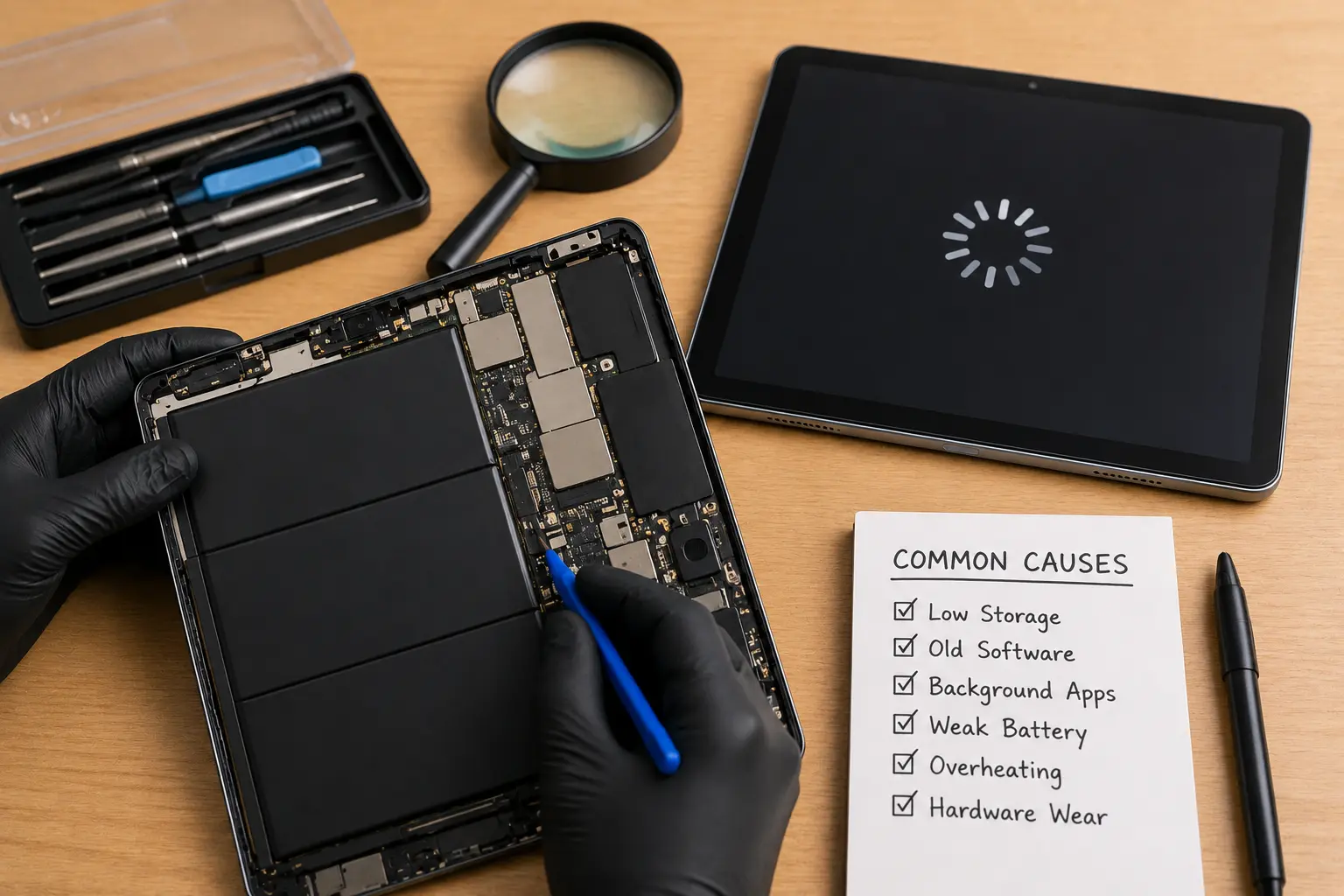
Many people believe premium tablets should continue performing like new indefinitely. While high-end tablets are built using powerful processors and quality components, they still experience natural wear over time. Just like laptops and smartphones, tablets are affected by both hardware aging and software changes that gradually influence performance.
The good news is that understanding these factors can help you extend your tablet’s lifespan and avoid unnecessary replacement.
Software Becomes More Demanding
Tablet operating systems receive regular updates that improve security, introduce new features, and enhance compatibility with modern applications.
However, newer software versions are often designed with newer hardware in mind.
As a result, older tablets may experience:
- Slower app launches
- Reduced multitasking
- Longer startup times
- Increased background activity
Even though the tablet continues functioning normally, newer software places greater demands on aging hardware.
Storage Fills Up Over Time
Many tablet owners rarely think about available storage until performance begins to suffer.
Photos, downloaded videos, cached files, application data, and system updates gradually consume available storage space.
When storage becomes nearly full, tablets may experience:
- Slower performance
- Delayed app loading
- Camera lag
- Software update failures
- Reduced responsiveness
Maintaining adequate free storage allows the operating system to function much more efficiently.
Battery Performance Declines Naturally
Rechargeable lithium-ion batteries slowly lose capacity after hundreds of charging cycles.
As battery health decreases, tablets may:
- Respond more slowly
- Shut down unexpectedly
- Reduce processor performance
- Take longer to charge
Many modern tablets intentionally reduce processor speed when battery health becomes poor in order to maintain system stability.
Background Applications Continue Running
Many applications continue operating even after they appear to be closed.
These background processes consume:
- Memory
- Processing power
- Battery
- Internet bandwidth
Too many background activities can significantly reduce overall performance.
Regularly reviewing installed applications helps improve responsiveness.
Normal Hardware Wear
Internal components naturally experience wear after years of everyday use.
Repeated charging, heat exposure, accidental impacts, and heavy workloads gradually affect:
- Batteries
- Storage chips
- Charging components
- Internal connectors
Professional inspections determine whether hardware wear is contributing to slow performance.
Common Hardware and Software Issues That Affect Tablet Performance
When a tablet begins slowing down, there is rarely one single cause. Instead, multiple small issues often combine to reduce overall responsiveness.
Understanding these problems makes it easier to decide whether simple maintenance or professional repair is required.
Outdated Operating System
Running an outdated operating system may reduce compatibility with modern applications.
Symptoms often include:
- App crashes
- Freezing
- Security issues
- Reduced performance
Installing supported software updates helps improve stability.
Failing Battery
Many users assume battery problems only affect charging.
In reality, battery deterioration may also reduce processing performance because the tablet limits power consumption.
If battery life has declined significantly, professional evaluation is recommended.
Storage Problems
When internal storage becomes almost completely full, tablets struggle to manage temporary files efficiently.
Common symptoms include:
- Delayed response
- Slow file transfers
- App loading delays
- Camera lag
Deleting unnecessary files often improves performance.
Overheating
Heat forces processors to reduce operating speed to protect internal components.
Tablets may become excessively warm because of:
- Heavy gaming
- Video editing
- Charging while in use
- High ambient temperatures
Repeated overheating gradually affects long-term performance.
Background Software Conflicts
Some applications continue consuming system resources even when they are not actively being used.
Conflicting software may cause:
- Freezing
- Unexpected restarts
- Reduced battery life
- Slow multitasking
Professional diagnostics help identify software conflicts that are difficult to detect manually.
Hidden Hardware Damage
A tablet that has been dropped may continue functioning while hidden internal damage slowly worsens.
Loose connectors, battery damage, or storage issues can all contribute to declining performance.
At Blackapple Cellular, our technicians regularly provide Tablet repair Langford and Tablet Repair Victoria services, using professional diagnostics to identify hidden hardware faults before recommending repairs.
When Cleaning Storage Isn’t Enough
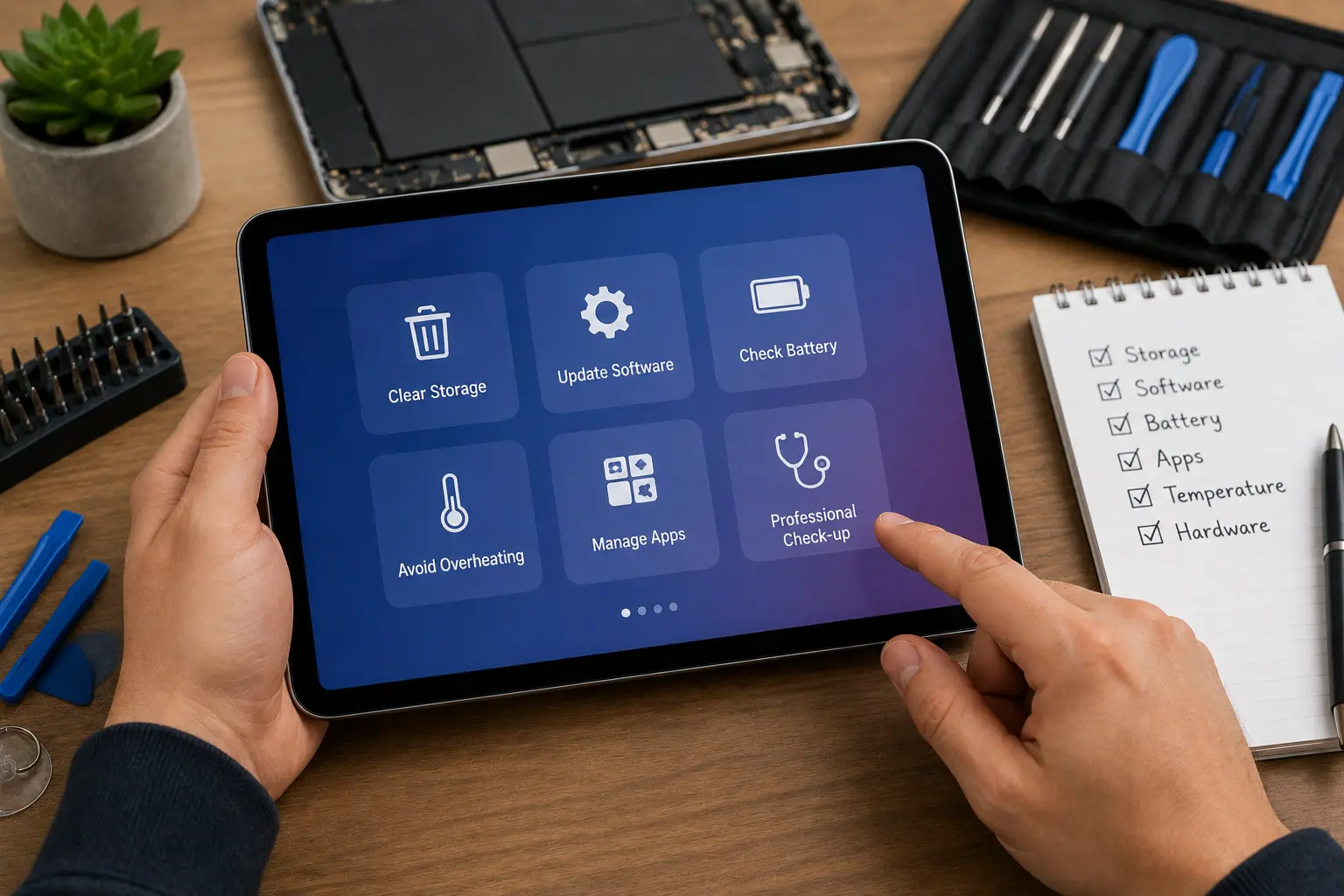
Freeing up storage space is often one of the first recommendations people find when searching for ways to speed up a slow tablet. While deleting unnecessary files and uninstalling unused apps can certainly improve performance, these steps don’t solve every problem. If your tablet continues freezing, lagging, or crashing after basic maintenance, the issue is likely more complex than limited storage.
Professional diagnostics help determine whether the slowdown is being caused by aging hardware, battery deterioration, software corruption, or internal component failure.
Your Tablet Is Still Slow After Resetting
Many users perform a factory reset expecting their tablet to work like new again.
Although resetting removes unnecessary files and restores default settings, it cannot repair:
- Worn batteries
- Failing storage chips
- Motherboard faults
- Damaged charging circuits
- Loose internal connectors
If performance doesn’t improve after a reset, hardware diagnostics are usually the next logical step.
Apps Continue Freezing
Applications that frequently crash or freeze may indicate more than software problems.
Possible causes include:
- Insufficient memory
- Storage errors
- Software conflicts
- Hardware instability
Repeated app crashes should not be ignored because they often indicate deeper system issues.
Battery Problems Continue Affecting Performance
A weak battery doesn’t only reduce battery life.
Modern tablets automatically lower processor performance when battery health declines to maintain system stability.
Common symptoms include:
- Slower response times
- Random shutdowns
- Reduced multitasking
- Longer charging times
Professional inspection determines whether battery replacement can restore normal performance.
Internal Storage May Be Failing
Over time, internal storage chips experience wear from repeated reading and writing of data.
Failing storage can cause:
- Slow file access
- Delayed app loading
- Failed software updates
- System instability
Unlike full storage, failing storage hardware cannot be fixed simply by deleting files.
Hidden Hardware Damage
A tablet that has experienced accidental drops may continue functioning while hidden damage gradually worsens.
Internal connector damage, battery movement, or motherboard issues often reduce performance long before complete failure occurs.
Professional diagnostics identify these hidden faults before they become more expensive repairs.
Signs Your Tablet Needs Professional Repair
Some tablet problems go beyond normal aging or software optimisation. Recognising these warning signs early can prevent further damage and help extend the life of your device.
The Tablet Frequently Freezes
Occasional lag may be normal on older devices.
However, constant freezing during basic activities such as browsing or watching videos usually indicates deeper problems.
Apps Crash Repeatedly
If multiple applications crash despite being updated, the issue may involve:
- Internal storage
- Software corruption
- Memory faults
- Hardware instability
Professional testing identifies the underlying cause.
The Tablet Overheats Regularly
Warm temperatures during charging are normal.
However, excessive heat during simple tasks may indicate:
- Battery deterioration
- Charging problems
- Processor stress
- Internal hardware faults
Ignoring overheating can shorten the lifespan of multiple components.
Charging Has Become Unreliable
If your tablet charges slowly, disconnects unexpectedly, or only charges when the cable is positioned a certain way, the charging system should be inspected professionally.
Charging problems often worsen over time if left untreated.
Physical Damage Is Affecting Performance
Cracked screens, bent frames, or previous drops sometimes cause hidden internal damage.
If you’ve recently dropped your device and performance has declined, professional diagnostics are recommended.
Whether you need tablet repair near you or specialist iPad & Tablet Repair Services, early inspection often prevents more extensive repairs later.
Repair vs Replace: What’s the Better Option?
Many tablet owners immediately consider purchasing a new device when performance begins declining. While replacement is sometimes the right decision, many tablets can continue providing excellent performance after professional repair.
The best choice depends on the condition of the device, the cost of repair, and how you use your tablet.
When Repair Is Usually the Better Choice
Repair is often worthwhile if:
- The tablet meets your daily needs.
- The slowdown is caused by a worn battery.
- Charging issues can be repaired.
- The display is still functioning well.
- Internal hardware remains in good condition.
Professional repairs are usually far less expensive than purchasing a new premium tablet.
When Replacement May Make More Sense
Replacement may be appropriate if:
- Multiple major components have failed.
- The tablet no longer supports essential software updates.
- Repair costs approach the value of a newer device.
- Performance limitations are caused by outdated hardware architecture.
Professional diagnostics help determine whether repair or replacement offers the best long-term value.
Why Diagnostics Should Always Come First
Replacing a tablet without understanding the actual problem may lead to unnecessary spending.
A professional assessment provides:
- Accurate diagnosis
- Repair recommendations
- Estimated repair costs
- Honest advice
This allows you to make an informed decision based on the actual condition of your device.
Conclusion
A slow tablet doesn’t automatically mean your tablet running slow requires a replacement. Performance often declines because of software updates, aging batteries, limited storage, and normal hardware wear rather than permanent failure. By understanding these causes and responding to warning signs early, you can often restore your tablet’s speed and extend its useful life.
While simple maintenance such as clearing storage or updating software may improve performance, persistent lag, freezing, charging problems, and overheating usually require professional attention. Accurate diagnostics help identify the real cause of the slowdown and ensure the right repair is carried out without unnecessary part replacements.
At Blackapple Cellular, we provide trusted Tablet Repair Victoria using professional diagnostic equipment and experienced technicians who specialise in restoring tablet performance. Whether you’re searching for tablet repair near you, reliable iPad & Tablet Repair Services, or expert iPad repair near you, we’re committed to helping your device perform at its best with honest advice and quality repairs.
People Also Ask
Why is my tablet running so slow?
A tablet may run slow due to low storage, outdated software, background apps, an aging battery, or hardware issues.
Can a slow tablet be fixed?
Yes. Clearing storage, updating software, replacing the battery, or repairing faulty hardware can often restore performance.
Does low storage make a tablet slower?
Yes. Nearly full storage can slow app loading, reduce responsiveness, and affect overall performance.
Can replacing the battery speed up a tablet?
Yes. A worn battery may cause the processor to slow down, and replacing it can improve performance.
Why does my tablet freeze frequently?
Frequent freezing may be caused by outdated software, low memory, storage issues, or failing hardware.
Should I repair or replace my slow tablet?
If the issue is caused by the battery, charging port, or software, repairing the tablet is often more cost-effective than replacing it.
How can I make my tablet run faster?
Delete unnecessary files, update the operating system, close background apps, and restart the device regularly.
When should I take my tablet for professional repair?
If your tablet overheats, crashes repeatedly, won’t charge properly, or remains slow after a factory reset, it’s time for professional diagnostics.
Frequently Asked Questions
Why has my tablet become slower over time?
Tablets naturally slow down because of aging batteries, software updates, storage limitations, background applications, and normal hardware wear.
Can replacing the battery improve tablet performance?
Yes. Many tablets reduce processor performance when battery health declines. Replacing a worn battery can often improve responsiveness.
Does deleting files always make a tablet faster?
Deleting unnecessary files helps when storage is nearly full, but it cannot repair hardware-related performance problems.
How do I know if my tablet needs professional repair?
Frequent freezing, overheating, charging issues, repeated app crashes, and poor performance after a factory reset are strong indicators that professional diagnostics are needed.
Is repairing a tablet cheaper than buying a new one?
In many cases, yes. Professional repairs often restore excellent performance at a much lower cost than replacing the entire device.
Can older tablets still be repaired?
Absolutely. Many older tablets continue performing well after professional battery replacement, charging repairs, or hardware maintenance.